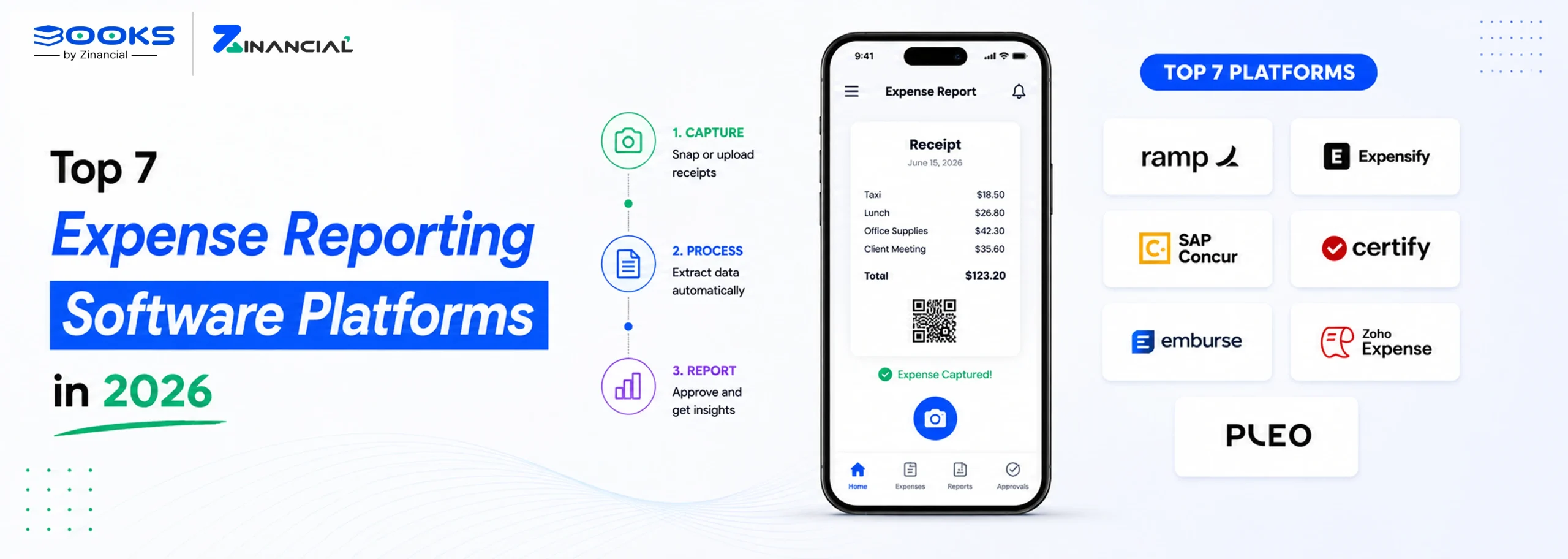
Each review covers where the platform genuinely wins, where it falls short, and our verdict on who should, and should not, choose it.
1. Zinancial Books
Best For: Growing SMBs
Zinancial Books is AI-first accounting software with an integrated expense management capability, so expenses live in the same system as the rest of the books instead of a separate app. An expense can be tied to a vendor, a customer, or neither.
Pros:
- AI auto-categorizes expenses using vendor history, descriptions, and GL context.
- Billable expenses can be linked to customers or vendor invoices.
- Duplicate detection and recurring expense automation reduce manual processing.
Cons:
- Native corporate cards are not currently available.
- Multi-currency expense entry is coming soon.
- Approval workflows are less configurable than enterprise-focused platforms.
Pricing
- Free: 2 users, 300 transactions/year, 3 Smart Bill Capture pages/month
- Starter: $10/mo for the first 6 months, then $20/mo; 3 users, 1,000 transactions/year, 10 pages/month
- Growth: $25/mo for the first 6 months, then $50/mo; 5 users, 5,000 transactions/year, 40 pages/month
- Pro: custom pricing; unlimited users and transactions, 100 pages/month
Why Choose It?
Choose Zinancial Books if you want approved expenses to flow directly into your accounting records without relying on separate integrations or manual reconciliation.
2. Ramp
Best For: Card-first startups
Ramp brings corporate cards, expense reporting, bill payments, and spend management together on a single platform. Its greatest value comes from using Ramp’s corporate cards, which power the platform’s automation, controls, and real-time spend visibility.
Pros:
- Automatically matches Ramp card transactions with receipts.
- AI reviews policy compliance before expenses are submitted.
- Free plan includes cards, receipt matching, and approval workflows.
Cons:
- Most automation depends on using Ramp corporate cards.
- ERP, HRIS, and budgeting features require Ramp Plus.
- Platform fees aren’t fully disclosed upfront.
Pricing:
- Free: unlimited users and cards on the base tier
- Ramp Plus: $15/user/month, plus an undisclosed platform fee that scales with company size
- Enterprise: custom pricing
Why Choose It?
Ramp software for expense management is ideal for US businesses that want to combine corporate cards with automated expense management.
3. Expensify
Best For: Lean Finance Teams
Expensify built its reputation on SmartScan, its receipt OCR engine and straightforward pricing. It works with existing payment methods, making it easy to adopt without changing company cards.
Pros:
- SmartScan captures receipts from photos, email, or text.
- Flat monthly pricing with no annual commitment on Collect.
- Supports existing payment methods alongside the Expensify Card.
Cons:
- No free plan for teams.
- Advanced approvals, SSO, and ERP integrations require Control.
- Pre-spend controls are limited without the Expensify Card.
Pricing:
- Free: individual use only, no team features
- Collect: $5/member/month flat, no annual commitment
- Control: from $9/active member/month with the Expensify Card on an annual plan (higher without the card, or on month-to-month billing)
Why Choose It?
Choose Expensify if you want a straightforward expense reporting platform that works with existing payment methods and provides automated receipt capture without requiring your business to adopt a specific corporate card program.
4. Brex
Best For: Global startups
Brex built its underwriting around cash balance and growth trajectory instead of personal credit, which made it popular with funded startups. Capital One completed its $5.15 billion acquisition of Brex in April 2026.
Pros:
- Built-in global cards and multi-currency reimbursements.
- Automatically approves or declines spend against policy.
- Underwriting is based on business performance rather than personal credit.
Cons:
- Budgeting, HRIS sync, and advanced policies require Premium.
- Credit limits adjust with connected cash balances.
- Product roadmap may evolve following the Capital One acquisition.
Pricing:
- Essentials: free
- Premium: from $12/user/month
- Enterprise: custom pricing
Why Choose It?
Choose Brex if you are a funded, multi-country startup and need cards and reimbursements that scale internationally from day one. If you are bootstrapped or operating in a single country, Ramp gets you a similar card-first automation.
5. Zoho Expense
Best For: Budget-conscious SMBs
Zoho Expense is an affordable expense report software with strong automation and approval workflows. It integrates seamlessly with the Zoho ecosystem while also supporting popular accounting platforms like QuickBooks and Xero.
Pros:
- Affordable pricing with multi-level approvals and workflow automation.
- Includes mileage tracking, per diems, and tax compliance.
- Supports multi-currency expense tracking, even on the free plan.
Cons:
- No native corporate cards.
- Corporate card reconciliation requires a paid plan.
- Delivers the deepest accounting integration with only Zoho Books.
Pricing:
- Free: up to 3 users
- Standard: $3/user/month billed annually ($4 monthly)
- Premium: $5/user/month billed annually ($6 monthly)
- Enterprise: custom pricing
Why Choose It?
For a small business that wants solid expense reporting without paying for features it will not use, Zoho Expense delivers a good price-to-feature ratio.
6. SAP Concur
Best For: Large enterprises
SAP Concur is built for organizations managing high volumes of employee travel and expense claims across multiple countries. Its strength lies in enterprise-grade compliance, configurable approval workflows, and deep ERP integrations.
Pros:
- Enterprise-grade approval workflows and compliance controls.
- 300+ integrations, including native SAP ERP connectivity.
- Modular platform supports travel, expenses, and invoices.
Cons:
- Pricing is available only through sales quotes.
- Corporate cards rely on third-party integrations.
- Implementation typically requires dedicated onboarding.
Pricing:
- No published pricing or free tier; every deal is quote-based
- Third-party estimates commonly cite roughly $8 to $24 per active user per month depending on modules and volume (directional only, not a quote)
Why Choose It?
If you are managing frequent business travel across multiple countries as an amid-market or enterprise company, Concur’s depth justifies its cost.
7. BILL Spend & Expense
Best For: Card-driven businesses
Formerly Divvy, BILL Spend & Expense combines no-subscription fee expense management with corporate cards. BILL acquired Divvy for $2.5 billion in 2021. It matches Zoho Expense’s 4.5/5 G2 score, and reviewers consistently rate it easier to learn than Zoho Expense.
Pros:
- No subscription fee for expense management software.
- Budget controls can freeze non-compliant spending before purchase completion.
- Includes two-way sync with QuickBooks, NetSuite, Sage Intacct, and Xero.
Cons:
- No multi-currency expense support.
- Card rewards have a 12-month redemption hold.
- Less established for complex global expense programs than enterprise platforms.
Pricing:
- BILL Spend & Expense: $0/user/month, no subscription fee; credit lines from roughly $1,000 to $5 million, approval-based
- BILL’s separate AP/AR software is priced independently, starting around $45/user/month, and is not part of this comparison
Why Choose It?
If you are open to consolidating your card and expense reporting with one provider, Bill offers excellent free-tier deals.