Get Early Access at$25/month
logo
Featured Blog

What Is Accounting Software? A Complete Guide for Businesses

Zinancial Team
Written byZinancial Team
What Is Accounting Software? A Complete Guide for Businesses
Article summary

Article Summary

This should save you ~10 minutes of reading

Accounting software is a digital system that records, organizes, and manages business financial transactions such as income, expenses, invoices, and payments.

It replaces manual bookkeeping and spreadsheets with automated financial tracking and structured reporting.

Businesses use accounting software to manage accounts payable and receivable, generate invoices, track expenses, and maintain a general ledger.

What Is Accounting Software?

Accounting software is a digital tool that records, stores, and processes financial transactions. It centralizes business finances, so records stay consistent and easy to review.

Imagine closing your books in minutes instead of days. Bank transactions sync automatically. Reports update without rebuilding spreadsheets. You see exactly where your cash stands at any moment.

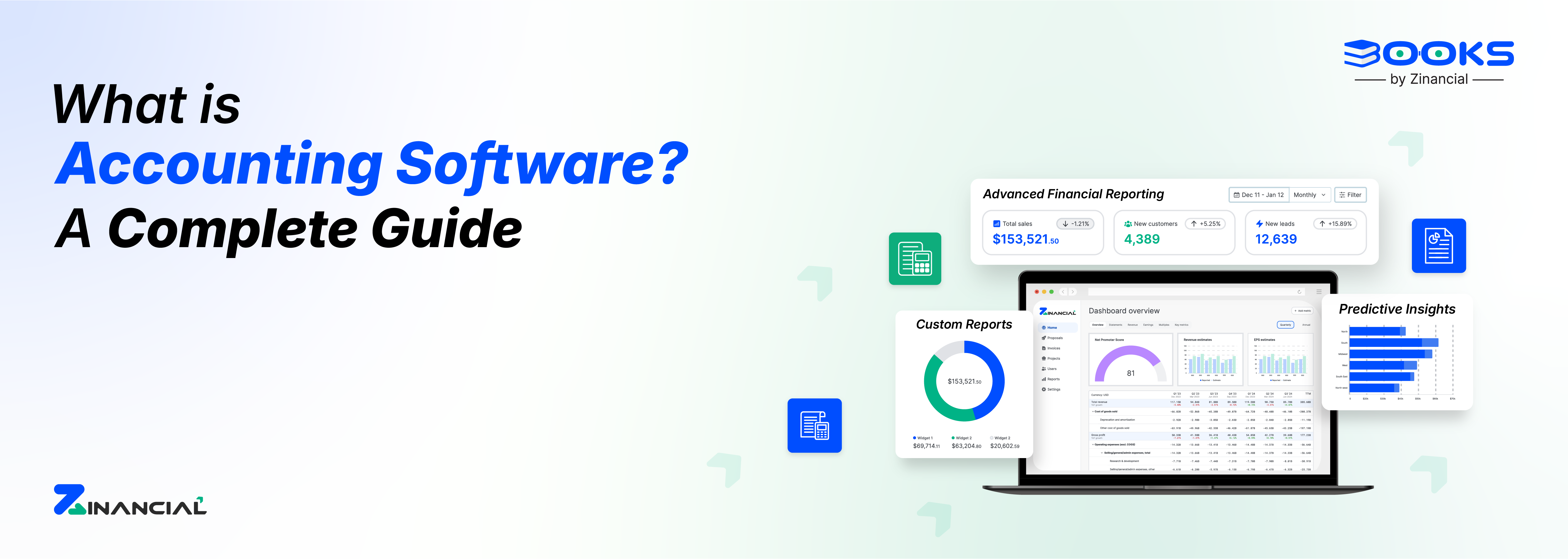
That is the kind of visibility Zinancial Books is built to provide. It centralizes invoices, ledgers, expenses, and reports in one place, so financial tracking feels organized rather than fragmented.

Core Functions

  • Recording transactions and journal entries
  • Managing the general ledger
  • Tracking payables and receivables
  • Creating invoices and tracking payments
  • Categorizing expenses
  • Calculating taxes
  • Generating financial statements
  • Maintaining audit logs

Compared to spreadsheets, accounting software reduces errors and supports structured financial management.

How Online Accounting Software Works

Online accounting software runs on cloud-based systems. You can access financial records from any device with internet access.

The system syncs automatically with banks and payment platforms. Transactions update in real time, so reports stay current.

Access controls allow different roles for owners, staff, and accountants.

Key Operational Benefits of Cloud Accounting Software

  • Automatic bank synchronization
  • Real-time transaction updates
  • Multi-user access with permissions
  • Secure cloud storage
  • Live dashboards
  • No local server dependency

This keeps financial data consistent across teams and locations.

Why Business Accounting is Important for Financial Stability

Business accounting tracks revenue, expenses, assets, and liabilities. It helps business owners understand performance and manage spending.

Strong accounting depends on consistency. When records are structured correctly from the start, reporting becomes clearer, and compliance risks are reduced.

Zinancial Books supports that structure by standardizing workflows and maintaining a clean general ledger behind the scenes.

Weak accounting creates blind spots that can lead to cash shortages or regulatory risks.

Benefits of Strong Accounting Practices

  • Prevents financial misstatements
  • Improves budgeting
  • Supports investor reporting
  • Reduces compliance risk
  • Strengthens cost management
  • Tracks profitability by product or service

Accounting software enforces consistent financial workflows.

Why Businesses Need Accounting Software?

Manual bookkeeping becomes harder as transaction volume grows. Spreadsheets slow reporting and increase the chance of mistakes. Accounting software automates repetitive tasks and standardizes workflows. It also improves reporting speed and reduces administrative effort.

With automated categorization and instant financial summaries, Zinancial Books shortens closing timelines and reduces dependency on manual fixes.

Key Business Advantages

  • Automates recurring financial tasks
  • Reduces manual data entry
  • Improves audit readiness
  • Speeds up financial reporting
  • Simplifies tax preparation
  • Scales with business growth

Manual vs Software Comparison

FactorManual BookkeepingAccounting Software
Data EntryFully manualAutomated and synced
Error RateHigher due to human mistakesLower with validation checks
Reporting SpeedSlow, often delayedReal-time dashboards and reports
ScalabilityHard to manage at scaleDesigned to scale with growth
Compliance ReadinessRequires extra effortBuilt-in tax and audit support

Accounting Software for Small Businesses?

Small business owners often handle finances without dedicated accountants. Accounting software simplifies daily financial tasks and reduces reliance on external support.

You can issue invoices, track expenses, monitor profits, and manage taxes in one system.

Benefits for Small Businesses

  • Simple invoice creation
  • Automated expense tracking
  • Real-time profit and loss reports
  • Budget monitoring
  • Bank transaction syncing
  • GST and tax support

This saves time and improves financial organization.

Cloud Accounting and Remote Access

Cloud accounting stores financial data online instead of on local computers. This allows access from any location.

Automatic backups protect data from loss or hardware failure. Software updates happen without manual installation. Instead of emailing spreadsheets back and forth, your accountant can access the same live dashboard you see.

Zinancial Books enables that shared visibility, making collaboration smoother without duplicating files.

Advantages of Cloud Accounting

  • Remote financial access
  • Automatic backups
  • Secure encrypted storage
  • Collaboration with accountants
  • Reduced IT maintenance
  • Faster month-end closing

This works well for remote teams and multi-location businesses.

How AI Enhances Accounting Software

AI reduces repetitive work and improves transaction processing. It categorizes entries automatically and highlights unusual activity.

Instead of reviewing every transaction manually, you can focus on decisions. Rather than reviewing every transaction manually, imagine the system flagging unusual entries automatically and forecasting cash flow based on real patterns.

That is how AI features within Zinancial Books support faster analysis and earlier risk detection.

AI-Powered Capabilities

  • Smart transaction categorization
  • Automated invoice matching
  • Fraud detection alerts
  • Cash flow forecasting
  • Revenue and expense trend analysis
  • Spending pattern insights

AI helps identify risks and opportunities earlier.

Financial Reporting and Business Performance Tracking

Accounting software converts transaction data into structured financial reports. These reports support performance reviews and planning.

Reports can be generated instantly instead of waiting weeks.

Common Financial Reports

  • Profit and Loss Statement
  • Balance Sheet
  • Cash Flow Statement
  • Revenue reports
  • Expense breakdown reports
  • Tax summaries
  • Audit logs

This helps business leaders review financial performance faster.

Compliance, Tax, and Regulatory Support

Tax laws and reporting requirements change frequently. Accounting software helps track deadlines, calculate taxes, and store documentation.

It reduces manual tax preparation and filing errors.

Compliance Benefits

  • Automated tax calculations
  • GST/VAT reporting
  • Digital audit trails
  • Filing reminders
  • Secure document storage

This lowers regulatory risk and administrative burden.

Cash Flow Monitoring and Payment Tracking

Cash flow problems are a common business challenge. Accounting software tracks incoming and outgoing payments in real time.

You can monitor overdue invoices and forecast future cash needs.

Cash Flow Tools

  • Tracks receivables and payables
  • Flags late payments
  • Forecasts cash availability
  • Identifies spending patterns
  • Supports payment scheduling

This helps prevent liquidity shortages.

Budgeting, Forecasting, and Planning

Accounting software helps plan budgets and forecast revenue. You can compare expected performance with actual results.

This supports hiring, investment, and expansion decisions.

Planning Features

  • Budget creation
  • Revenue forecasting
  • Expense trend tracking
  • Profit margin analysis
  • Scenario planning

These tools support structured financial planning.

Payroll, Employee Costs, and Expense Management

Many platforms integrate payroll and employee expense tracking. This simplifies salary processing and statutory compliance.

You can track employee costs in one system.

Payroll Features

  • Automated salary processing
  • Tax deductions and filings
  • Expense reimbursement tracking
  • Payroll reports
  • Employee cost summaries

This reduces payroll workload and errors.

Vendor, Supplier, and Procurement Tracking

Accounting software helps manage supplier invoices and purchase orders. It improves payment accuracy and spending oversight.

Vendor Management Features

  • Supplier invoice tracking
  • Purchase order management
  • Payment scheduling
  • Supplier cost analysis
  • Spending control

This supports better procurement decisions.

Multi-Department and Multi-Entity Accounting

As businesses expand, financial tracking becomes more complex. Accounting software supports reporting across departments and business units.

Expansion Support

  • Department-level reports
  • Business unit budget tracking
  • Consolidated multi-entity reporting
  • Centralized financial oversight
  • Clear accountability structures

This supports structured financial growth.

Security, Data Protection, and Access Control

Financial data security is essential. Accounting software protects records through encryption and access permissions.

It also logs activity to prevent misuse.

Security Features

  • Role-based access controls
  • Encrypted financial data
  • Secure cloud backups
  • Activity tracking
  • Fraud alerts

These safeguards reduce financial risk.

Choosing the Right Accounting Software

The best accounting software depends on business size, complexity, and workflow needs.

Selection Criteria

  • Ease of use
  • Automation capabilities
  • Cloud access
  • Security standards
  • Integration support
  • Customer service
  • Pricing flexibility

Choosing wisely reduces migration effort later.

Implementation, Migration, and Adoption

A structured rollout helps teams adopt accounting software faster.

Implementation Steps

  • Define financial requirements
  • Select the right plan
  • Import historical data
  • Configure workflows and taxes
  • Train employees
  • Monitor system usage

Most cloud platforms can be set up within days.

A Smarter Way to Manage Business Finances

Accounting software helps businesses manage finances with less manual effort. It improves reporting, tax handling, cash tracking, and operational planning.

Whether you run a small business or a growing company, the right system simplifies financial management.

If you want real-time dashboards, automated transaction tracking, faster reporting cycles, and centralized financial control, Zinancial Books brings those elements together in one system.

Final CTA: Start managing finances smarter with Zinancial Books. Book a demo today.

FAQs
Frequently Asked Questions

Common questions about startup accounting and automation, answered clearly.

What does accounting software help manage?

Transactions, invoices, expenses, payroll, and financial reports.

How does Zinancial Books reduce manual bookkeeping?

It automates transaction tracking, reporting, and tax calculations.

Is accounting software suitable for small businesses?

Yes. It simplifies invoicing, expense tracking, and cash management.

How secure is cloud accounting?

It uses encryption, access controls, and secure backups.

Can Zinancial Books integrate with banks and payroll tools?

Yes. It supports banking, payroll, and payment integrations.

How long does setup usually take?

Most systems can be implemented within a few days.

Still exploring your options?

See how Zinancial Books fits your workflows, team size, and growth plans.

Send Email

Our Recent Blog

Bookkeeping vs Accounting: Key Differences Explained for Small Businesses
28 Jan, 2026Bookkeeping

Bookkeeping vs Accounting: Key Differences Explained for Small Businesses

Many business owners understand the difference between bookkeeping and accounting only after financial confusion. Bookkeeping records transactions, while accounting analyzes them to guide smarter decisions.

Read More...
Manual Accounting vs Automated Accounting: Choosing the Right Approach for Your Business
29 Jan, 2026Accounting Automation

Manual Accounting vs Automated Accounting: Choosing the Right Approach for Your Business

Manual bookkeeping requires reconciling many transactions each month, increasing the risk of errors. As businesses grow, the process becomes slow, complex, and harder to manage.

Read More...
Chart of Accounts Explained for Startups & SMBs
29 Jan, 2026Startup Accounting

Chart of Accounts Explained for Startups & SMBs

Running a startup is exciting, but managing finances can quickly become overwhelming. Without proper organization, small mistakes can affect reports, taxes, and investor communication.

Read More...
CTA background

Engineered By The Best In The Business

Zinancial is built by professionals who understand accounting challenges, modern software, and especially what growing businesses need.

Try for free