Zinancial

Get Early Access at $25/month

Zinancial Books
Featured Blog

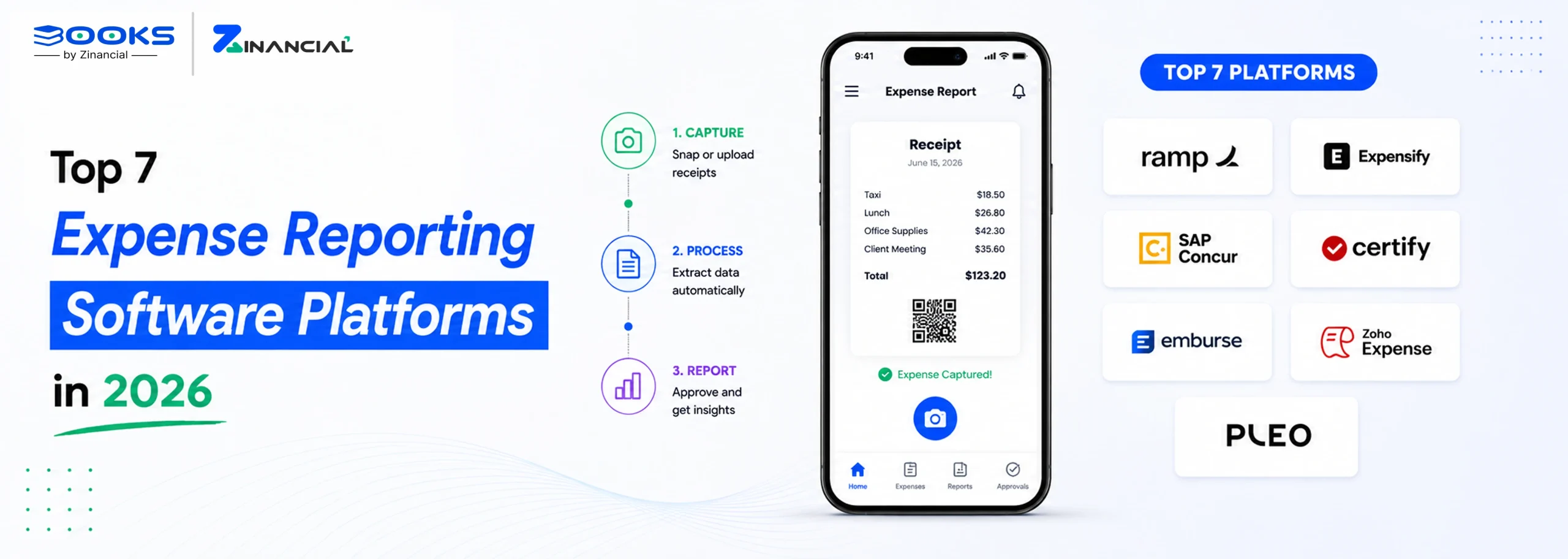
Top 7 Expense Reporting Software Platforms in 2026

Vibudh Upadhyay
Written byZinancial TeamEdited on 17 Sep, 2026
Top 7 Expense Reporting Software Platforms in 2026
Article summary

Article Summary

This should save you ~10 minutes of reading

The best expense reporting software depends on what your business needs to manage: employee expenses, corporate cards, accounting, approvals, reimbursements, or all of these workflows together.

This guide compares seven expense reporting and management platforms based on receipt capture, expense categorization, approval workflows, accounting integration, reimbursement, pricing, and business fit.

Quick comparison:

You have paid for lunch with a client, uploaded the receipt, and submitted your expense report. Days later, it is still awaiting approval, reimbursement is delayed, and finance is following up on missing details.

Expense reporting software is designed to eliminate those bottlenecks. It automates receipt capture, approvals, and expense tracking, helping businesses save time and reduce manual work.

Therefore, to help you choose the right platform, we compared the 7 best expense reporting and management software for 2026 based on automation, accounting capabilities, pricing, and business fit. So, let us dive in!

7 Best Expense Reporting Software: Comparison at a Glance

Use this comparison table to quickly compare the top 7 expense report software based on key features and automation capabilities.

Feature Zinancial Books Ramp Expensify Brex Zoho Expense SAP Concur BILL Spend & Expense
AI-powered receipt/document capture ✓ ✓ ✓ ✓ ✓ ✓ ✓
Auto-categorization from vendor and history ✓ ✓ ✓ ✓ ✓ ✓ ✓
Approval workflow before posting ✓ ✓ ✓ ✓ ✓ ✓ ✓
Vendor invoice linking ✓ ✓ ✗ ✓ ✗ ✗ ✗
Billable-to-customer expense tracking ✓ ✗ ✗ ✗ ✗ ✗ ✗
Recurring expense management ✓ ✓ ✗ ✗ ✗ ✗ ✗
Duplicate expense/invoice detection ✓ ✓ ✗ ✗ ✗ ✗ ✗
Automated tax rules ✓ ✗ ✗ ✗ ✓ ✓ ✗
Automatic journal entry (ledger built in) ✓ ✗ ✗ ✗ ✗ ✗ ✗


i

Note:

Features are based on publicly available vendor information reviewed in July 2026. A ✓ indicates that the capability was verified within the product or workflow evaluated; a ✗ indicates that we could not verify the capability within the scope of this comparison. Some capabilities may be available through separate modules or ecosystem products. Pricing, features, and integrations may change.

A Detailed Review:

Each review covers where the platform genuinely wins, where it falls short, and our verdict on who should, and should not, choose it.

1. Zinancial Books

Best For: Growing SMBs

Zinancial Books is AI-first accounting software with an integrated expense management capability, so expenses live in the same system as the rest of the books instead of a separate app. An expense can be tied to a vendor, a customer, or neither.

Pros:

  • AI auto-categorizes expenses using vendor history, descriptions, and GL context.
  • Billable expenses can be linked to customers or vendor invoices.
  • Duplicate detection and recurring expense automation reduce manual processing.

Cons:

  • Native corporate cards are not currently available.
  • Multi-currency expense entry is coming soon.
  • Approval workflows are less configurable than enterprise-focused platforms.

Pricing

  • Free: 2 users, 300 transactions/year, 3 Smart Bill Capture pages/month
  • Starter: $10/mo for the first 6 months, then $20/mo; 3 users, 1,000 transactions/year, 10 pages/month
  • Growth: $25/mo for the first 6 months, then $50/mo; 5 users, 5,000 transactions/year, 40 pages/month
  • Pro: custom pricing; unlimited users and transactions, 100 pages/month

Why Choose It?

Choose Zinancial Books if you want approved expenses to flow directly into your accounting records without relying on separate integrations or manual reconciliation.

2. Ramp

Best For: Card-first startups

Ramp brings corporate cards, expense reporting, bill payments, and spend management together on a single platform. Its greatest value comes from using Ramp’s corporate cards, which power the platform’s automation, controls, and real-time spend visibility.

Pros:

  • Automatically matches Ramp card transactions with receipts.
  • AI reviews policy compliance before expenses are submitted.
  • Free plan includes cards, receipt matching, and approval workflows.

Cons:

  • Most automation depends on using Ramp corporate cards.
  • ERP, HRIS, and budgeting features require Ramp Plus.
  • Platform fees aren’t fully disclosed upfront.

Pricing:

  • Free: unlimited users and cards on the base tier
  • Ramp Plus: $15/user/month, plus an undisclosed platform fee that scales with company size
  • Enterprise: custom pricing

Why Choose It?

Ramp software for expense management is ideal for US businesses that want to combine corporate cards with automated expense management.

3. Expensify

Best For: Lean Finance Teams

Expensify built its reputation on SmartScan, its receipt OCR engine and straightforward pricing. It works with existing payment methods, making it easy to adopt without changing company cards.

Pros:

  • SmartScan captures receipts from photos, email, or text.
  • Flat monthly pricing with no annual commitment on Collect.
  • Supports existing payment methods alongside the Expensify Card.

Cons:

  • No free plan for teams.
  • Advanced approvals, SSO, and ERP integrations require Control.
  • Pre-spend controls are limited without the Expensify Card.

Pricing:

  • Free: individual use only, no team features
  • Collect: $5/member/month flat, no annual commitment
  • Control: from $9/active member/month with the Expensify Card on an annual plan (higher without the card, or on month-to-month billing)

Why Choose It?

Choose Expensify if you want a straightforward expense reporting platform that works with existing payment methods and provides automated receipt capture without requiring your business to adopt a specific corporate card program.

4. Brex

Best For: Global startups

Brex built its underwriting around cash balance and growth trajectory instead of personal credit, which made it popular with funded startups. Capital One completed its $5.15 billion acquisition of Brex in April 2026.

Pros:

  • Built-in global cards and multi-currency reimbursements.
  • Automatically approves or declines spend against policy.
  • Underwriting is based on business performance rather than personal credit.

Cons:

  • Budgeting, HRIS sync, and advanced policies require Premium.
  • Credit limits adjust with connected cash balances.
  • Product roadmap may evolve following the Capital One acquisition.

Pricing:

  • Essentials: free
  • Premium: from $12/user/month
  • Enterprise: custom pricing

Why Choose It?

Choose Brex if you are a funded, multi-country startup and need cards and reimbursements that scale internationally from day one. If you are bootstrapped or operating in a single country, Ramp gets you a similar card-first automation.

5. Zoho Expense

Best For: Budget-conscious SMBs

Zoho Expense is an affordable expense report software with strong automation and approval workflows. It integrates seamlessly with the Zoho ecosystem while also supporting popular accounting platforms like QuickBooks and Xero.

Pros:

  • Affordable pricing with multi-level approvals and workflow automation.
  • Includes mileage tracking, per diems, and tax compliance.
  • Supports multi-currency expense tracking, even on the free plan.

Cons:

  • No native corporate cards.
  • Corporate card reconciliation requires a paid plan.
  • Delivers the deepest accounting integration with only Zoho Books.

Pricing:

  • Free: up to 3 users
  • Standard: $3/user/month billed annually ($4 monthly)
  • Premium: $5/user/month billed annually ($6 monthly)
  • Enterprise: custom pricing

Why Choose It?

For a small business that wants solid expense reporting without paying for features it will not use, Zoho Expense delivers a good price-to-feature ratio.

6. SAP Concur

Best For: Large enterprises

SAP Concur is built for organizations managing high volumes of employee travel and expense claims across multiple countries. Its strength lies in enterprise-grade compliance, configurable approval workflows, and deep ERP integrations.

Pros:

  • Enterprise-grade approval workflows and compliance controls.
  • 300+ integrations, including native SAP ERP connectivity.
  • Modular platform supports travel, expenses, and invoices.

Cons:

  • Pricing is available only through sales quotes.
  • Corporate cards rely on third-party integrations.
  • Implementation typically requires dedicated onboarding.

Pricing:

  • No published pricing or free tier; every deal is quote-based
  • Third-party estimates commonly cite roughly $8 to $24 per active user per month depending on modules and volume (directional only, not a quote)

Why Choose It?

If you are managing frequent business travel across multiple countries as an amid-market or enterprise company, Concur’s depth justifies its cost.

7. BILL Spend & Expense

Best For: Card-driven businesses

Formerly Divvy, BILL Spend & Expense combines no-subscription fee expense management with corporate cards. BILL acquired Divvy for $2.5 billion in 2021. It matches Zoho Expense’s 4.5/5 G2 score, and reviewers consistently rate it easier to learn than Zoho Expense.

Pros:

  • No subscription fee for expense management software.
  • Budget controls can freeze non-compliant spending before purchase completion.
  • Includes two-way sync with QuickBooks, NetSuite, Sage Intacct, and Xero.

Cons:

  • No multi-currency expense support.
  • Card rewards have a 12-month redemption hold.
  • Less established for complex global expense programs than enterprise platforms.

Pricing:

  • BILL Spend & Expense: $0/user/month, no subscription fee; credit lines from roughly $1,000 to $5 million, approval-based
  • BILL’s separate AP/AR software is priced independently, starting around $45/user/month, and is not part of this comparison

Why Choose It?

If you are open to consolidating your card and expense reporting with one provider, Bill offers excellent free-tier deals.


How We Evaluated The 7 Best Expense Reporting and Management Software

Rather than comparing marketing pages, we assessed all 7 platforms against the operational problems above. Along with the practical factors that determine whether a tool holds up once it is in use, and why each one matters.

  • Receipt Capture Accuracy

We have looked at how much manual correction OCR typically requires after scanning a receipt, because the gap between scanned and usable data is where a lot of the promised time savings quietly disappear.

  • Approval Workflow Flexibility

We checked whether you could configure multi-level, rule-based routing yourself, because a workflow that needs a consultant to reconfigure defeats the point of automating approvals in the first place.

  • Reimbursement Speed

Looked for an actual number of business days from approval to payout, because fast on a pricing page and fast in practice are often two different things.

  • Accounting Integration Depth

We even distinguished between platforms that merely sync expenses into accounting software and those that record expenses directly inside the ledger, because those are operationally very different outcomes. One still requires reconciliation. The other does not.

  • Pricing Transparency

Noted whether pricing is published or requires a sales call, because that difference usually predicts how long implementation will actually take, not just what it will cost.

  • User Sentiment

Carefully looked at recurring themes across G2, Capterra, and Gartner Peer Insights reviews, since the complaints that show up repeatedly tend to be the ones a demo will not surface.

  • Small business Fit

Checked minimum balance requirements and how usable the free tier actually is, because a free plan that caps out at five employees is not really free for a growing team.

Expense Reporting Software vs. Expense Management Software

Expense reporting software primarily manages expenses after an employee or business has spent money. It typically covers receipt capture, expense categorization, report creation, approvals, reimbursement, and accounting records.

Expense management software can cover a broader part of the spending lifecycle. In addition to reporting, it may include corporate cards, spending controls, budgets, approval policies, and real-time visibility into company spending.

Expense Reporting Software Expense Management Software
Captures receipts Can control spending before purchase
Creates expense reports Can provide corporate cards
Categorizes expenses Can enforce spending policies
Routes expenses for approval Can manage budgets and limits
Supports reimbursement Can provide real-time spending visibility
Records approved expenses Can manage the broader spend lifecycle

The two categories increasingly overlap. Many modern platforms provide both expense reporting and expense management capabilities, so businesses should evaluate the complete workflow rather than choosing software based only on its category or product name.

3 Top Questions About Expense Reporting Software

Still deciding which software is right for your business? These 3 answers cover the most common questions buyers ask before choosing the best expense management software 2026.

What Does Good Expense Reporting Software Do?

Good expense reporting software automates the process of capturing expenses, extracting receipt information, categorizing transactions, routing expenses for approval, processing reimbursements, and recording approved expenses in the accounting system.

The goal is to reduce manual data entry while giving finance teams better control over company spending and more accurate financial records.

A good expense reporting software is built to answer the 5 problems above with one connected workflow, rather than five separate manual habits:

A receipt is photographed, or a corporate card transaction flows automatically. No email attachment is required.

AI extracts the amount, date, vendor, and category, removing the manual entry that turns receipt-chasing into a monthly chore.

Reports go to the right approver automatically, based on rules like department or spending threshold, so approvals stop depending on someone remembering to check their inbox.

  • Reimburse Employees

Once approved, reimbursement is typically processed via ACH within a few business days, closing the reimbursement-delay gap.

Approved expenses post with the correct GL code as they happen, not weeks later, which is what actually protects month-end close.

i

Note:

Zinancial Books is the one platform in this comparison where that fifth step is not a sync at all. The ledger is the product; expenses are captured and categorized directly inside the accounting system, removing an entire handoff rather than automating it.

How Does Expense Reporting Software Reduce Approval Delays and Manual Work?

The point of expense software was never the receipt scan itself. It is what the scan enables downstream. The contrast is easiest to see side by side.

  • Before Automation

An employee emails a receipt. A manager misses the email. Finance follows up, more than once. Month-end slips while the report is still sitting somewhere in that chain.

  • After Automation

The receipt is captured automatically at the point of purchase. The report is routed instantly to the right approver. Policy is checked before anyone has to ask a question. The expense posts to the ledger the same day it clears.

  • Approval Delays Disappear

When routing stops depending on a person, remembering to check email. Rule-based routing sends each report to the right approver automatically, based on amount, department, or role, so routine expenses clear in hours instead of sitting in an inbox for days.

  • Finance Stops Losing Hours

Automatic capture and categorization mean receipt collection is no longer a manual, monthly exercise. It happens continuously, in the background, as spend occurs.

  • Month-End Close Stops Running on Stale Numbers

When approved expenses post to the general ledger as they are approved, rather than in a batch sync day or weeks later, the books finance closes against are current.

  • Policy Enforcement

Duplicate claims and out-of-policy spend get flagged before an expense enters the approval workflow, so finance is catching problems before they cost anything, not auditing them after the fact.

  • Reconciliation

Each additional system a business runs, an expense tool, accounting software, a card program, a reporting layer, is another point where numbers can drift. Reducing the number of systems reduces the reconciliation of work by more than the sum of its parts.

What Hidden Challenges Should Buyers Expect When Choosing Expense Reporting Software?

Comparing seven platforms side by side surfaces problems that rarely show up when you look at any single vendor in isolation. These are the ones buyers run into most often.

  • Pricing Pages Rarely Show the Real Cost

Per-user pricing looks simple at ten employees and is complicated at fifty. Once platform fees, card-usage discounts, and custom enterprise tiers enter the picture.

The only way to get a genuine cost comparison across these seven platforms is to run your actual headcount and spend volume through each vendor’s calculator, not their homepage.

  • Free Does Not Mean the Same Thing Twice

Every platform in this comparison advertises a free plan, but Ramp’s free tier is close to unlimited, Zoho’s caps at three users, and BILL’s depends entirely on signing up for its card. A comparison table can tell you that a free plan exists. It cannot tell you what it includes.

  • Vendors Rarely Disclose Their Own Gaps

No pricing page volunteers that a platform has no native accounting, or that a free tier is conditional on a specific card. The information mostly surfaces in G2 and Capterra reviews, or by going through a vendor’s sign-up flow, not by reading its marketing.

  • The Right Platform Changes as The Business Grows

A tool that works well at five employees, usually an expense-first platform like Expensify or Zoho, can become the friction point at fifty, once a business needs corporate cards or deeper accounting. Few buyers plan for that transition.

  • Switching Later Costs More than Switching Now

Once approval chains, GL codes, and employee habits are built around one platform, migrating means retraining staff and running two systems in parallel for a stretch. A lower price today does not always account for what a future migration will cost.

Conclusion

Across all seven platforms, the decision usually comes down to one question: what are you trying to unify, your cards, accounting, or adoption speed? The best solution should reduce manual work, keep your financial records accurate, and fit the way your business manages expenses.

If you are looking for an all-in-one solution that combines expense reporting, accounting, and AI-powered insights on a single platform, Zinancial Books is built to simplify the entire process.

Book a personalized demo with Zinancial Books and discover how you can automate expense reporting while keeping your books accurate from day one.

FAQs
Frequently Asked Questions

Quick answers to common questions about this topic.

What is the best expense reporting software overall?

Zinancial Books is the top choice in this comparison for growing SMBs that want expense reporting and accounting in the same platform. Expenses can be captured, categorized, approved, and recorded within the accounting workflow, reducing the need to move approved expense data between separate systems. Other platforms may be better suited to specific requirements, such as corporate-card-led spending, enterprise travel and expense management, ecommerce-focused teams, or businesses already committed to a particular software ecosystem.

How much does software cost for expense management?

Most expense management software costs $3–$15 per user/month, while enterprise pricing is usually customized. Zinancial Books starts at $10/month with flat pricing and includes accounting, reporting, and expense management on one platform.

Can expense reporting software integrate with QuickBooks or Xero?

Yes. Most leading platforms, including Ramp, Expensify, Zoho Expense, Brex, BILL Spend & Expense, and SAP Concur, integrate with QuickBooks and Xero. Zinancial Books takes a different approach by including expense reporting in its accounting software platform, so approved expenses are already reflected in your books.

Is expense reporting software different from expense management software?

Yes, though most modern platforms blur the line. Reporting software handles the capture-to-record cycle after money is spent. Management software adds pre-spend controls, usually built around a corporate card program.

Do I still need to keep paper receipts?

In most cases, no. Digital receipts are generally accepted if they contain the required information and are retained properly. Zinancial Books securely stores receipts alongside each expense, creating a searchable audit trail for easier record-keeping.

Can employees use personal cards, or do I need a company card?

Most expense reporting software supports personal card reimbursements, while some platforms are designed around their own corporate cards. Zinancial Books records and tracks expenses regardless of how they were paid, making reimbursements easy to manage.

Is Excel still enough for expense reports?

Excel works for very small teams, but it does not automate approvals, enforce policies, or maintain an audit trail. Zinancial Books combines expense management with accounting, helping businesses save time and reduce manual work as they grow.

Can AI fully automate expense approvals?

AI can automate low-risk approvals based on predefined rules, while higher-value or exceptional expenses still require review. Zinancial Books goes beyond approval by using AI to categorize transactions, reconcile accounts, and keep your financial records up to date.

Still have questions?

We are here to answer any question you may have.

Ask a Question

Our Recent Blog

5 Best Financial Statement Generator for Startups & SMBs in 2027
26 Oct, 2026Books

5 Best Financial Statement Generator for Startups & SMBs in 2027

A financial statement generator helps turn accounting data into clear reports, so you can understand your business finances without spending hours sorting through spreadsheets. For startups and SMBs, the right tool can simplify reporting, reduce manual work, and help answer important questions about profitability, cash flow, and financial health. However, features, accuracy, and costs vary […]

Read More...
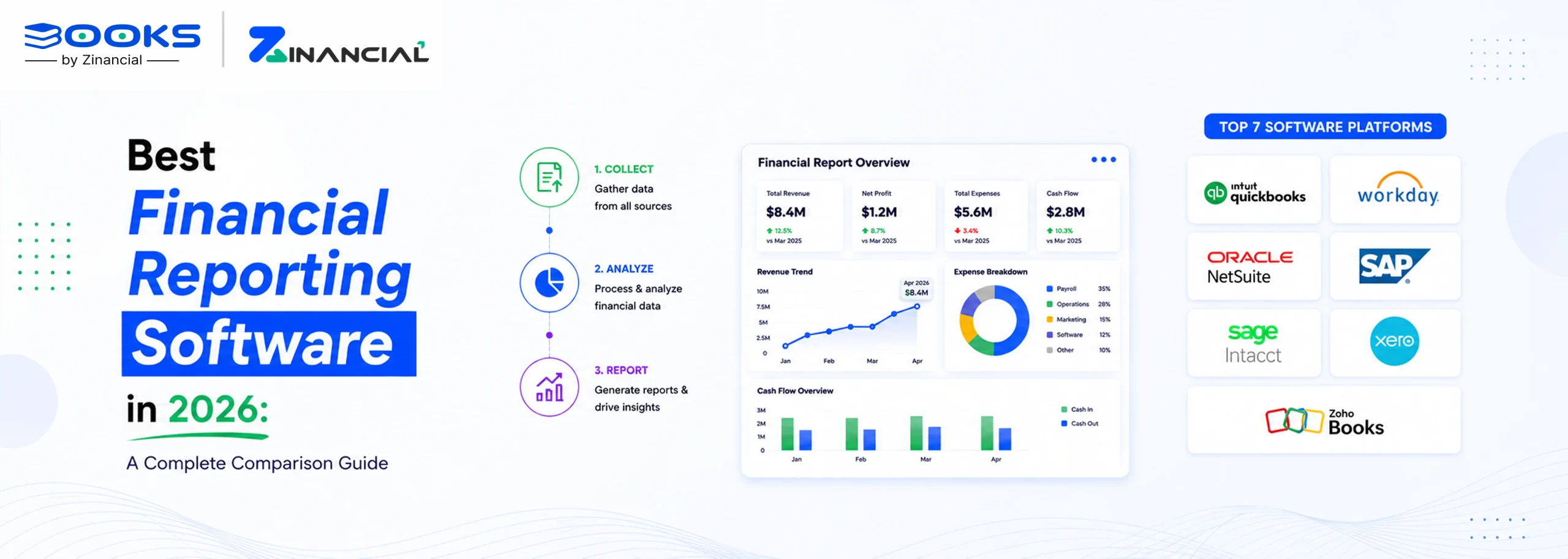
Best Financial Reporting Software for 2027: 10 Tools Compared (With Pricing)
12 Aug, 2026Books

Best Financial Reporting Software for 2027: 10 Tools Compared (With Pricing)

If you have ever stayed late closing the books, you know the drill. You pull numbers from five different tabs and cross-check formulas that break the moment someone edits a cell. You send the report to your boss, then find an error an hour later. Financial reporting software exists to end that cycle. The right […]

Read More...
What Is a Cash Flow Forecast? A Complete Guide for Businesses (2026)
28 Jul, 2026Books

What Is a Cash Flow Forecast? A Complete Guide for Businesses (2026)

A cash flow forecast estimates how much cash a business expects to receive and spend over a future period. It combines the current cash balance with expected inflows and outflows to show how much cash the business may have available at different points in time. Unlike a profit forecast, a cash flow forecast focuses on […]

Read More...
Engineered by the Best in the Business - Zinancial call to action banner

Engineered by the Best in the Business

Zinancial is built by professionals who understand accounting challenges, modern software, and especially what growing businesses need.