Zinancial

Get Early Access at $25/month

Zinancial Books
Featured Blog

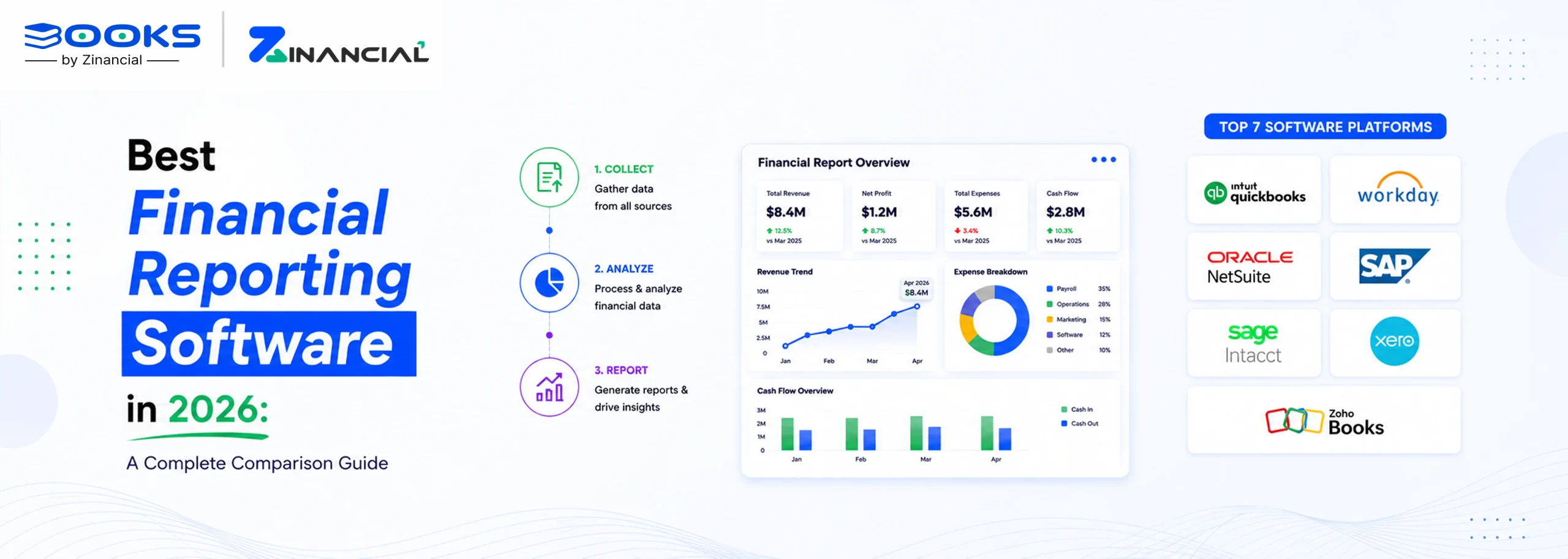
Best Financial Reporting Software for 2027: 10 Tools Compared (With Pricing)

Vibudh Upadhyay
Written byZinancial TeamEdited on 9 Nov, 2026
Best Financial Reporting Software for 2027: 10 Tools Compared (With Pricing)
Article summary

Article Summary

This should save you ~10 minutes of reading

The best financial reporting software in 2027 turns accounting data into statements, dashboards, and KPIs automatically - and for businesses that want bookkeeping, reporting, and AI in one platform instead of stitched-together tools, Zinancial Books leads the comparison.

Best overall: Zinancial Books combines bookkeeping, financial reporting, and an AI accountant in a single platform.

Zinancial Books reporting depth: 250+ pre-built reports, 500+ KPIs, and 50+ executive summaries.

If you have ever stayed late closing the books, you know the drill. You pull numbers from five different tabs and cross-check formulas that break the moment someone edits a cell. You send the report to your boss, then find an error an hour later. Financial reporting software exists to end that cycle.

The right financial reporting tool takes scattered numbers and turns them into something you can actually use. It pulls data from your bank, your bills, and your books. It builds reports without you touching a single formula, and gives you answers instead of more spreadsheets.

That’s exactly why we built this guide. In this guide, we compare the best financial reporting software available in 2027. We look at what each tool does well, who it fits, and where it falls short. We also explain what to look for, so you pick the right financial reporting system for your business, not just the most popular one

What Is Financial Reporting Software and How Does It Work?

Financial reporting software links with your accounting information and creates reports out of it – like balance sheets and profit & loss statements and cash flow statements – rather than having to do the work yourself each month.

The vast majority of financial reporting software platforms are pretty similar. They tie into your bank accounts and credit cards and accounting system. They automatically pull in all your transactions and lay everything out using templates you can quickly digest.

The platforms that are truly effective go beyond that basic function. They include dashboards, KPI tracking, and other tailored reports based around how your business actually operates. And some platforms use AI to add context to the numbers rather than simply show you the numbers.

Compare the Top Financial Reporting Software Side by Side

Use this comparison table to quickly evaluate the top financial reporting software based on features, AI capabilities, and business needs.

Software Best For Standout Feature AI Capability
Zinancial Books Businesses that want AI-driven bookkeeping and reporting in one place 250+ pre-built reports, 500+ KPIs and Custom report builder AI-powered categorization, reconciliation, document processing, reporting insights and an in-built AI accountant
Vena Solutions Large finance teams that live in Excel Native Excel interface AI-powered forecasting, planning, variance analysis and conversational insights
Ramp Companies focused on expense visibility Real-time spend tracking AI-powered transaction categorization, receipt matching, expense management and spend insights
QuickBooks Online Advanced Small businesses needing built-in reports Simple P&L and balance sheet templates AI-assisted transaction categorization, receipt capture, transaction matching and financial insights
Sage Intacct Mid-market companies with multiple entities Dimensional reporting across departments AI-assisted invoice processing, anomaly detection, intelligent insights and predictive analytics
Workiva Public companies with SEC and ESG compliance needs SEC and ESG reporting AI-assisted document summarization, content generation, data analysis and reporting workflows
Xero Small teams needing multi-user access 1,000+ app integrations AI-assisted bank reconciliation, transaction matching, invoice data capture and cash-flow forecasting

The difference is how these capabilities work together. Zinancial Books brings bookkeeping, financial reporting, and AI into one connected platform, so your data flows from everyday transactions to meaningful insights without switching between separate tools.

An In-Depth Analysis of the Best Financial Reporting Tools for 2027

Here is a closer look at each financial reporting tool, starting with the one built to do the most out of the box.

Zinancial Books

Zinancial Books dashboard showing real-time balance sheet snapshot and cash position

Zinancial Books dashboard showing real-time balance sheet snapshot and cash position

Zinancial Books handles bookkeeping and reporting inside one platform. Every part of it is designed to remove manual effort from your monthly close, while giving you advisory level insights. It is known to work as a true financial reporting and analysis software.

  • Provides 250+ pre-built reports, 500+ KPIs, and 50+ executive summaries for leadership updates
  • Offers a custom report builder for industry-specific and stakeholder-specific reporting needs
  • Includes an in-built AI accountant that answers questions about your financial data
  • Automates transaction categorization, bill capture, and bank reconciliation with anomaly detection
  • Manages sales tax directly within the same platform

Because Zinancial Books is AI native, none of this feels bolted on. The automation, the reporting, and the AI accountant were built together from the start, which is very different from tools that added a chatbot on top of an older system just to keep up.

Best for: Businesses that need customized financial reports for investors, board meetings, and lenders, along with AI-powered insights for day-to-day decision-making.

Want to see if Zinancial Books fits your business?  Get in touch with Zinancial team for a personalized walkthrough.

Vena Solutions

Vena Solutions corporate dashboard showing financial and operational KPIs

Vena Solutions corporate dashboard showing financial and operational KPIs

Vena combines financial reporting, planning, and workflow management with a familiar Excel interface. It is popular among finance teams that already rely heavily on spreadsheets but want more structure around budgeting and reporting.

  • Excel-based reporting and planning workflows
  • Financial consolidation and budgeting tools
  • Approval workflows for larger finance teams

The platform is better suited for established finance departments than small businesses that need quick setup and simple reporting.

Best for: Large finance teams that want Excel flexibility with additional reporting controls.

Ramp

Ramp

Ramp is primarily known for expense management, corporate cards, and spend visibility. It helps businesses monitor expenses and automate parts of their accounting workflow.

  • Strong for expense tracking and corporate card visibility
  • Codes transactions automatically as employees spend
  • Not built as a standalone financial reporting system, so most teams pair it with another tool

Best for: Companies whose biggest pain point is spend visibility rather than full reporting

QuickBooks Online Advanced

QuickBooks Online dashboard showing invoices, expenses, and profit and loss overview

QuickBooks is one of the most widely used accounting software options for small businesses.

  • Covers basic financial statements well for small businesses
  • Includes standard templates for P&L, balance sheet, and cash flow
  • Reporting stays fairly rigid once your business grows past simple needs

Best for: Small businesses that need familiar, straightforward reports without much customization

Sage Intacct

Sage Intacct is built for companies that need reporting across multiple entities or locations.

  • Handles multi-entity reporting well for mid-market companies with several departments
  • Implementation tends to run three to six months, and pricing climbs with users and modules

Best for: Mid-market companies managing multiple entities or locations at once

Workiva

Workiva focuses heavily on compliance reporting, including SEC filings, ESG reporting, and audit-related workflows.

  • Built specifically for compliance-heavy reporting
  • Supports controlled collaboration on regulatory filings across large teams
  • Not really designed for day-to-day reporting or fast, everyday decisions

Best for: Public companies whose main need is compliance filings, not daily reporting

Xero

Xero offers easy-to-use accounting tools with strong third-party integrations. It works well for small teams that need essential financial reports alongside everyday bookkeeping.

  • Affordable and easy to use for very small teams, with 1,000 or more integrations
  • Reporting depth is limited once you need dimensional analysis or multi-entity consolidation

Best for: Very small teams that mainly need basic reports and broad app connectivity

What Are the Benefits of Using Financial Reporting Software for Your Business?

Manual reporting costs you more than time. It costs you accuracy, and it costs you confidence in your own numbers.

A research cited by the European Spreadsheet Risks Interest Group (EuSpRIG) examined 88 operational spreadsheets across multiple audits and found that 94% contained errors, making manual reporting far riskier than many businesses realize.

A strong financial reporting tool can help reduce these risks by making reporting faster, more accurate, and easier to manage.

  • Speed: What used to take days now takes minutes, since the software extracts and organizes data automatically, closing out your month end far sooner.
  • Accuracy: Automated systems catch mismatches early, before small errors snowball into a compliance headache or a bad decision.
  • Real-time visibility: Dashboards show current numbers instead of last month’s snapshot, which matters when you need to decide something today.
  • Better planning: When you can trust your reports, you can forecast with real confidence instead of reacting to old data.
  • Less stress: Fewer late nights, fewer scrambles before a board meeting, and fewer moments of panic when a number does not add up.
  • Easier collaboration: Everyone works from the same live numbers, so you stop chasing people for updated spreadsheet versions.
  • Cost savings: Less time on manual data entry means your finance team can focus on planning instead of reconciling.

What Are the Key Features to Look for in Financial Reporting Systems?

Not every financial reporting program offers the same depth, therefore it becomes very important to know what functionalities are crucial before you commit to one.

  • Pre-Built Reports and KPIs: Look for software with a wide library of ready-to-use reports and KPIs. It should help you generate reports for investors, boards, lenders, and day-to-day business decisions without starting from scratch.
  • Custom Report Builder: Every business tracks different numbers. A custom report builder lets you tailor reports to your industry, business goals, and reporting requirements, so you always get the insights that matter most.
  • Customizable Dashboards: Personalize dashboards with widgets, KPIs, and reports that keep your most important financial data front and center.
  • Automation: Transaction categorization, bank reconciliation, and bill organization should all run automatically, not just report generation.
  • AI capability: Choose software with AI that generates insights, explains reports, and helps you make faster decisions.
  • Document AI: The best AI-driven reporting software instantly summarizes financial documents into clear, simple explanations, helping you understand them without manual review.
  • Migration: Choose software that makes moving your existing financial data simple, secure, and accurate with minimal disruption.
  • Integration: The tool should connect directly to your bank, your bills, and your accounting system, without manual imports.
  • Compliance features: Sales tax management, audit trails, and version history protect you when regulators or auditors come asking questions.
  • Scalability: A tool that works fine for ten employees might struggle at fifty, so choose one that grows with your transaction volume.
  • User experience: A powerful tool nobody wants to open ends up unused within a few months, so look for a clean interface your team can pick up fast.

Types of Financial Reports Every Business Should Track

Financial reporting software is only as useful as the reports it produces, so it helps to know which ones actually matter.

Income statement: Shows your revenue, expenses, and profit over a set period. It answers the simplest and most important question in business are you making money or losing it.

  • Balance sheet: It gives you a snapshot of what you own and what you owe at a single point in time. It shows assets, liabilities, and equity, which together tell you how financially stable your business really is.
  • Cash flow statement: Tracks money moving in and out of your business. Profit on paper does not always mean cash in the bank, and this report is what exposes that gap clearly.
  • Management reports: Beyond the three core statements, most businesses also rely on management reports. These break performance down by department, project, or location, which helps leadership see exactly where money is being made or lost.
  • Budget versus actual reports: Compare what you planned to spend against what you actually spent. They are essential for keeping departments accountable and catching overspending before it becomes a real problem.
  • KPI dashboards: They give you a clear view of the specific metrics that are the most relevant to your industry, whether that is gross margin, customer acquisition cost, or days sales outstanding. Good financial reporting systems make all of these available without extra manual work.

Financial Reporting Software vs Accounting Software: What Is the Difference?

People often use these terms interchangeably, but they solve different problems. Accounting software focuses on recording transactions. It tracks invoices, payments, payroll, and the general ledger.

Financial reporting software takes that recorded data and turns it into insight. It builds statements, dashboards, and KPIs that help you understand what the numbers mean for your business. Below is a table that explains the difference in simple terms:

Feature Financial Reporting Software Accounting Software
Primary purpose Analyses financial data and generates reports for decision-making. Records and manages day-to-day financial transactions.
Main users Business owners, finance teams, CFOs, investors, and boards. Accountants, bookkeepers, and finance teams.
Core functions Financial statements, KPI dashboards, custom reports, forecasting, and analysis. Bookkeeping, invoicing, expense tracking, bank reconciliation, payroll, and taxes.
Reporting Advanced, customizable, and often real-time. Standard financial reports with limited customization.
AI capabilities AI insights, report summaries, anomaly detection, and natural language reporting. Basic automation, with AI features varying by platform.
Best for Understanding business performance and supporting strategic decisions. Managing financial records and maintaining accurate books.

Many businesses use separate tools for each. However, switching between multiple systems can slow reporting and increase manual work. That is why many growing businesses choose a unified platform that combines bookkeeping, reporting, and AI, giving them one source of financial truth.

How AI Is Changing Financial Reporting and Analysis Software

AI is quickly becoming a core part of financial reporting rather than an optional feature. According to KPMG’s 2026 report, AI in Financial Reporting and Audit: Navigating the New Era, nearly 72% of companies are already piloting or using AI in financial reporting, and that number is expected to reach 99% within the next three years.

Businesses no longer expect reporting software to simply generate reports. They expect it to explain financial performance, answer questions, automate repetitive work, and deliver insights they can act on immediately. AI-native platforms such as Zinancial Books are built around this approach, making financial reporting more intelligent, more accessible, and significantly more efficient.

How to Choose the Right Financial Reporting Software for Your Business?

Choosing financial reporting software is not just about picking the tool with the most features. The right solution should match your business size, reporting needs, workflow, and future growth plans.

Step 1: Evaluate Your Business Size and Reporting Needs

Start with your business complexity. A small business with simple reporting needs will require a different reporting platform than a multi-entity company managing several departments, locations, or currencies.

Step 2: Check Reporting Depth and Customization Options

Do not stop at basic financial statements. If you want KPIs, executive summaries, investor-ready reports, or insights specific to your industry, you will want a platform that comes with pre-built reports and lets you build your own on top of that.

Step 3: Review Automation and Integration Capabilities

Your financial reporting tool should connect with your bank, bills, and accounting systems while reducing manual data entry. Features like automated categorization, reconciliation, and document capture can make reporting faster and more reliable.

Step 4: Consider AI Capabilities and Data Security

A good AI feature can genuinely make reporting easier, explaining trends, answering your questions, and pointing out what actually matters. That said, always ask how the platform protects your financial data, and look for real access controls rather than a vague promise.

Step 5: Think About Implementation and Future Growth

A solution that works today should also support your business as it grows. Consider setup time, scalability, and whether the platform can handle increasing transaction volumes and more complex reporting needs.

Bottom Line

At the end of the day, financial reports are only valuable when they help you make better decisions. The right financial reporting software turns complex data into clear insights you can act on.

Out of everything covered here, Zinancial Books stands out for turning financial data into clear insights that help businesses make better decisions. It brings automation, deep reporting, and a real AI accountant together in one place, built for businesses that want to grow without adding more manual work along the way.

So, if you are looking for financial reporting software that does the heavy lifting for you, give Zinancial Books a try.

FAQs
Frequently Asked Questions

Quick answers to common questions about this topic.

What is the best financial reporting software for growing businesses?

Zinancial Books is built specifically for growing businesses that want automation, deep reporting, and an AI accountant in one platform, without needing separate tools for bookkeeping and analysis.

Is financial reporting software different from accounting software?

Yes. Accounting software records transactions, while financial reporting software turns that data into statements, dashboards, and KPIs. Some platforms, including Zinancial Books, handle both in one system.

How many reports does a typical financial reporting tool include?

This varies widely by vendor. Zinancial Books includes 250 or more pre-built reports and 500 or more pre-built KPIs, which covers most business needs without any custom setup.

Is it safe to use AI inside financial reporting software?

It depends heavily on how the platform was built and how it handles financial data. Zinancial Books uses encryption and access controls to help protect sensitive information. Its AI accountant works with the financial data available within your account to support your accounting workflows.

What is the best financial reporting software for small businesses?

Zinancial Books is one of the best financial reporting software solutions for small businesses. It combines bookkeeping, AI-powered insights, and many pre-built reports in one platform, with room to grow as your reporting needs become more advanced.

Can financial reporting software handle sales tax management?

Some platforms do, and some require a separate tool entirely. Zinancial Books includes sales tax management directly inside the platform, so you are not exporting data elsewhere just to stay compliant.

How long does it take to implement financial reporting software?

Timelines vary by vendor and company size. Enterprise tools can take three to six months, while platforms built for faster onboarding, like Zinancial Books, can have you running within days.

Still have questions?

We are here to answer any question you may have.

Ask a Question

Our Recent Blog

5 Best Financial Statement Generator for Startups & SMBs in 2027
26 Oct, 2026Books

5 Best Financial Statement Generator for Startups & SMBs in 2027

A financial statement generator helps turn accounting data into clear reports, so you can understand your business finances without spending hours sorting through spreadsheets. For startups and SMBs, the right tool can simplify reporting, reduce manual work, and help answer important questions about profitability, cash flow, and financial health. However, features, accuracy, and costs vary […]

Read More...
Top 7 Expense Reporting Software Platforms in 2026
7 Aug, 2026Books

Top 7 Expense Reporting Software Platforms in 2026

You have paid for lunch with a client, uploaded the receipt, and submitted your expense report. Days later, it is still awaiting approval, reimbursement is delayed, and finance is following up on missing details. Expense reporting software is designed to eliminate those bottlenecks. It automates receipt capture, approvals, and expense tracking, helping businesses save time […]

Read More...
What Is a Cash Flow Forecast? A Complete Guide for Businesses (2026)
28 Jul, 2026Books

What Is a Cash Flow Forecast? A Complete Guide for Businesses (2026)

A cash flow forecast estimates how much cash a business expects to receive and spend over a future period. It combines the current cash balance with expected inflows and outflows to show how much cash the business may have available at different points in time. Unlike a profit forecast, a cash flow forecast focuses on […]

Read More...
Engineered by the Best in the Business - Zinancial call to action banner

Engineered by the Best in the Business

Zinancial is built by professionals who understand accounting challenges, modern software, and especially what growing businesses need.