Zinancial

Get Early Access at $25/month

Zinancial Books
Featured Blog

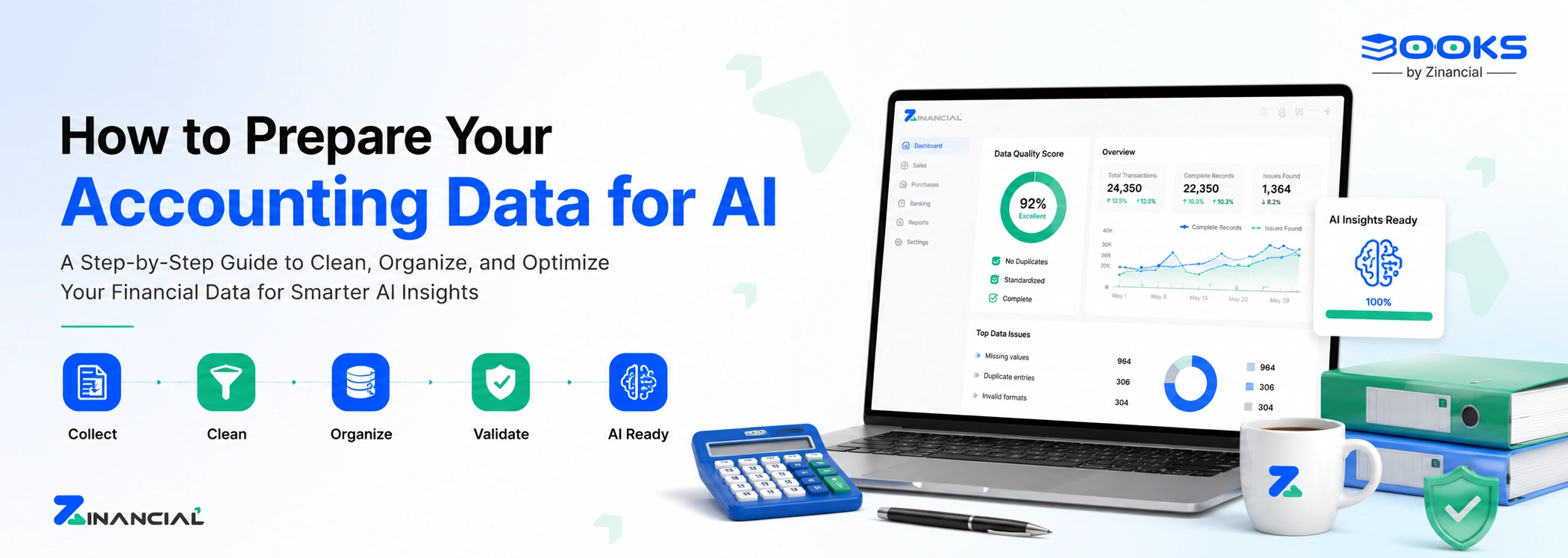
How to Prepare Your Accounting Data for AI

Vikas Vishwakarma
Written byZinancial TeamEdited on 23 Sep, 2026
How to Prepare Your Accounting Data for AI
Article summary

Article Summary

This should save you ~10 minutes of reading

Preparing accounting data for AI is not simply about giving an AI tool access to more financial information. The quality, structure, consistency, and governance of that data determine how effectively AI can process and interpret it.

In this guide, you will learn:

What AI-ready accounting data means and what makes financial information suitable for AI processing.

AI-ready accounting data is clean, consistent, structured, and reliable enough for AI systems to process and interpret accurately. Preparing accounting data for AI involves cleaning historical records, standardizing financial information, structuring data, consolidating sources, and validating outputs before scaling automation.

The quality of accounting data directly affects the quality of AI-generated results. Duplicate transactions, inconsistent account names, missing information, incorrect classifications, and unstructured documents can lead to unreliable reports, forecasts, and automated decisions.

Businesses preparing for AI in accounting should therefore focus on the data foundation before adding more automation. This guide explains how to prepare accounting data for AI, improve data quality, structure financial information, establish data governance, and validate data before scaling AI-powered accounting workflows.

What Is Accounting Data for AI?

Accounting data for AI is financial information that has been cleaned, structured, standardized, and validated so AI systems can process and interpret it reliably. This includes transaction records, invoices, receipts, bank transactions, accounts receivable, accounts payable, financial statements, and other accounting information.

AI systems depend on the quality and consistency of the data they process. Missing fields, duplicate transactions, inconsistent account names, incorrect classifications, or unstructured documents can reduce the reliability of AI-generated results.

What Types of Accounting Data Can AI Use?

AI can work with several types of accounting and financial data, including:

Accounting data Examples Potential AI use
Transaction data Bank transactions, journal entries, expenses Transaction categorization and anomaly detection
Accounts receivable Invoices, payment records, customer balances Collection analysis and cash flow forecasting
Accounts payable Supplier invoices, bills, payment schedules Invoice processing and payment analysis
Financial statements Income statements, balance sheets, cash flow statements Financial analysis and reporting
Documents Invoices, receipts, purchase orders OCR and data extraction
Historical financial data Previous transactions and financial results Trend analysis and predictive models

For AI to produce useful results, this information should follow consistent formats and accounting rules. Businesses may need to clean historical records, standardize account names, remove duplicate data, validate transactions, and organize information before using it for AI-powered accounting workflows.

i

In Simple Terms:

Better accounting data → Better AI inputs → More reliable AI outputs

Step 1: Clean and Standardize Your Accounting Data

Before using accounting data with AI, remove errors, inconsistencies, and duplicate records that could affect the accuracy of AI-generated results.

Start by reviewing your historical financial data for:

  • Duplicate transactions
  • Missing or incomplete fields
  • Incorrect account classifications
  • Inconsistent vendor and customer names
  • Incorrect dates or transaction amounts
  • Unusual or unexplained entries
  • Inconsistent chart of accounts
  • Duplicate or inactive accounts
  • Standardize Your Accounting Data

Cleaning removes inaccurate or unnecessary information. Standardization makes the remaining data consistent.

For example, the same vendor might appear in your records as:

  • Microsoft
  • Microsoft Corp.
  • Microsoft Corporation
  • MSFT

An AI system may interpret these as different entities if the records do not follow a consistent naming structure.

Standardize important fields such as:

  • Vendor and customer names
  • Account names and categories
  • Transaction descriptions
  • Dates and date formats
  • Currency and numerical formats
  • Tax classifications
  • Payment and transaction types

A consistent data structure gives AI systems clearer inputs and reduces ambiguity when they analyze or classify financial information.

Validate the Cleaned Data

After cleaning and standardizing your records, validate the results against your source accounting data. Check that transactions have not been removed incorrectly, account balances remain accurate, and important financial information is complete.

i

The Basic Process is:

Identify Errors → Clean Data → Standardize Records → Validate Results → Prepare for AI

The goal is not to change your accounting records simply to make them suitable for AI. The goal is to create accurate, consistent, and reliable financial data that AI systems can process effectively.

Step 2: Structure Your Accounting Data for Machine Readability

Clean accounting data is only useful to AI when the information is organized in a consistent, machine-readable structure. Structuring your data means defining how financial information is stored, labeled, categorized, and connected across your accounting systems.

Unstructured information such as invoices, receipts, PDFs, emails, and handwritten documents may require additional processing before AI systems can use it effectively.

Use Consistent Data Fields

Define consistent fields for the financial information your AI workflows need to process.

For transaction data, these may include:

  • Transaction date
  • Description
  • Vendor or customer
  • Account
  • Amount
  • Currency
  • Tax category
  • Payment method
  • Transaction type

Using consistent fields makes it easier for AI systems to identify relationships between transactions and apply the same logic across large datasets.

Standardize Data Formats

Financial data should follow consistent formats across your accounting systems. For example, dates should use a consistent format, currencies should be clearly identified, and numerical values should follow the same conventions.

If one system records a date as 09/15/2026 while another uses 15-09-2026, inconsistent formatting can make data processing more difficult.

The same principle applies to account names, transaction categories, currencies, and other financial fields.

Connect Related Financial Data

AI becomes more useful when related accounting information can be connected.

i

For example:

Customer → Invoice → Payment → Accounts Receivable → Cash Flow

Similarly:

Vendor → Bill → Approval → Payment → Accounts Payable

Connecting these relationships gives AI more context when analyzing financial information rather than treating each transaction as an isolated record.

Use Machine-Readable Formats

Whenever possible, financial data should be available in structured formats that accounting systems and AI tools can process. Depending on the workflow, this may include structured database records, spreadsheets, CSV files, APIs, or data exchanged between connected accounting applications.

i

The Objective is Simple:

Organized Data → Consistent Structure → Better Context → More Reliable AI Processing

A well-structured accounting dataset gives AI systems the context they need to classify transactions, analyze financial information, identify patterns, and support automated accounting workflows.

Step 3: Consolidate and Centralize Your Accounting Data

Accounting data often exists across multiple systems and sources. Businesses may store transaction data in accounting software, bank accounts, payroll systems, expense platforms, spreadsheets, invoicing tools, and other financial applications.

Before using AI across these workflows, consolidate relevant financial data into a consistent and accessible system.

Identify Your Financial Data Sources

Start by identifying where your accounting data currently resides. Common sources include:

  • Accounting software
  • Bank accounts and bank feeds
  • Credit card accounts
  • Invoicing systems
  • Accounts receivable platforms
  • Accounts payable systems
  • Payroll software
  • Expense management tools
  • Spreadsheets
  • Point-of-sale systems

This inventory helps identify data silos where important financial information exists separately from the rest of your accounting data.

Connect Relevant Data Sources

Where possible, connect your financial systems through integrations, APIs, bank feeds, or other supported data connections.

i

For Example:

Bank Transactions + Accounting Records + Invoices + Bills + Payroll Data → Centralized Financial Dataset

Connecting these sources reduces the need to manually copy financial information between systems and gives AI workflows access to a broader view of the business.

Resolve Duplicate and Conflicting Data

When information comes from multiple sources, the same transaction or financial record may appear more than once. Different systems may also use different names, categories, or formats.

Before using the combined dataset, check for:

  • Duplicate transactions
  • Conflicting account classifications
  • Different vendor or customer names
  • Missing records
  • Different date or currency formats
  • Inconsistent transaction IDs

Resolve these differences before sending the data into AI workflows.

Maintain a Consistent Source of Financial Information

A centralized financial dataset makes it easier to maintain consistency across accounting processes. It also gives AI systems more complete context when analyzing transactions, identifying patterns, generating reports, or supporting financial decisions.

The objective is not to connect every available system. Connect the relevant financial data sources that your AI workflows actually need.

i

A Practical Consolidation Process Looks Like This:

Identify Sources → Connect Data → Consolidate Records → Remove Conflicts → Validate the Dataset → Make It AI-Ready

Step 4: Convert Unstructured Financial Data Using OCR

A significant amount of accounting information starts as unstructured or semi-structured data. Invoices, receipts, purchase orders, bank statements, and financial documents may contain useful information that is difficult for accounting systems and AI tools to process directly.

Optical Character Recognition (OCR) can convert information from these documents into structured, machine-readable data.

What Accounting Documents Can OCR Process?

Depending on the system and document quality, OCR can extract information from:

  • Supplier invoices
  • Customer invoices
  • Receipts
  • Bank statements
  • Purchase orders
  • Expense documents
  • Tax documents
  • Other financial records
i

For Example, An Invoice May Contain the Following Information in a visual Document:

Vendor → Invoice Number → Invoice Date → Line Items → Tax → Total Amount → Payment Terms

OCR can extract these fields and convert them into structured accounting data that other systems and AI workflows can process.

How Does OCR Prepare Accounting Data for AI?

i

A Typical OCR Workflow looks like this:

Document → OCR → Data Extraction → Field Validation → Structured Accounting Data → AI Processing

The extracted information should still be reviewed and validated. Poor image quality, unusual document layouts, handwritten information, or unclear characters can cause extraction errors.

Why Is OCR Important for AI in Accounting?

Without document extraction, finance teams may need to manually enter information from invoices, receipts, and other documents before AI systems can analyze it.

OCR can reduce this manual step by converting document-based information into structured fields. Once validated, that data can support workflows such as:

  • Invoice processing
  • Transaction categorization
  • Expense management
  • Accounts payable automation
  • Financial reporting
  • Data analysis

For example, an invoice captured through OCR can provide structured vendor, amount, date, and tax information that an accounting system can use for processing and classification. This can also support accounts payable automation by reducing manual invoice data entry and making invoice information easier to process.

OCR does not replace data validation. Extracted information should be checked against the original document and relevant accounting records before it is used for automated decisions or financial reporting.

Step 5: Establish Strong Data Governance

Preparing accounting data for AI also requires clear rules for how financial information is stored, accessed, updated, and protected. This process is known as data governance.

Strong data governance helps businesses maintain data quality while controlling who can access sensitive financial information and how that information is used by AI systems.

Define Data Ownership and Responsibilities

Assign responsibility for important accounting datasets. Someone should be accountable for maintaining the accuracy and consistency of information such as:

  • Customer and vendor records
  • Chart of accounts
  • Transaction classifications
  • Accounts receivable data
  • Accounts payable data
  • Financial reports

Clear ownership makes it easier to identify and correct data-quality problems.

Control Access to Financial Data

Not every employee or AI workflow needs access to every financial record. Use role-based permissions to control who can view, modify, export, or approve financial information.

For example, an employee responsible for expense management may not need access to payroll or sensitive financial reports.

Maintain Audit Trails

Keep records of important changes to accounting data and automated processes. An audit trail can help teams determine:

  • What information changed
  • When it changed
  • Who or what changed it
  • What system or workflow processed it
  • What the original value was

Audit trails become particularly important when AI systems influence accounting classifications, financial analysis, or other automated workflows.

Protect Sensitive Financial Information

Accounting data may contain sensitive business and personal information. Review the security controls of any system that stores or processes financial data.

Consider factors such as:

  • Data encryption
  • User authentication
  • Access controls
  • Data backups
  • Data retention
  • Third-party access
  • Compliance requirements

Businesses should also understand how an AI provider handles financial information before sending sensitive accounting data to the system.

Establish Data Quality Rules

Create clear rules for how accounting information should be entered and maintained. For example, define acceptable formats for vendor names, account classifications, transaction dates, currencies, and other important fields.

These rules help prevent new inconsistencies from entering the dataset after the initial cleanup.

i

A practical governance framework can follow this process:

Define Ownership → Control Access → Protect Data → Track Changes → Monitor Data Quality → Review Regularly

Good data governance gives AI systems a more reliable financial data foundation while helping businesses maintain control over sensitive accounting information.

Step 6: Review, Validate, and Test Your Data Before Scaling

Before using AI across your accounting workflows, validate the quality of the prepared data and test how the AI system processes it. Even clean and structured data can produce unreliable results if the underlying information is incomplete, incorrectly classified, or interpreted incorrectly by the AI system.

Check the Accuracy of Your Accounting Data

Compare your prepared dataset with the original accounting records to confirm that important information remains accurate.

Review areas such as:

  • Transaction amounts
  • Account classifications
  • Vendor and customer information
  • Transaction dates
  • Tax information
  • Opening and closing balances
  • Duplicate records
  • Missing transactions

Reconcile important figures with your accounting system and financial statements before using the data for automated workflows.

Test AI Outputs With Known Data

Start with a controlled dataset containing transactions and financial records whose expected results are already known.

For example, if you are testing automated transaction categorization, use a sample of transactions that have already been reviewed and correctly classified.

i

Then compare:

Expected Result → AI Result → Difference → Human Review

This helps identify incorrect classifications, missing information, or patterns that the AI system does not interpret correctly.

Review AI-Generated Results

AI should not automatically replace financial controls or human review. Finance teams should establish appropriate review processes for outputs that can affect accounting records, reports, payments, or financial decisions.

Pay particular attention to:

  • Unusual classifications
  • Low-confidence results
  • Unexpected financial trends
  • Missing information
  • Unusual transactions
  • Material differences from historical results

Monitor Performance Over Time

Data quality can change as the business grows. New vendors, accounts, transaction types, financial systems, and business processes can introduce new data patterns.

Continue monitoring:

  • Data completeness
  • Classification accuracy
  • Duplicate records
  • AI output accuracy
  • Exception rates
  • Changes in financial data sources

Regular reviews help ensure that AI workflows continue to work with current and reliable accounting data.

Scale AI Workflows Gradually

Once the data and AI outputs have passed validation, expand the workflow gradually.

Start with a limited use case, measure the results, resolve recurring issues, and then expand to additional accounting processes.

i

A practical approach is:

Test → Validate → Review → Improve → Monitor → Scale

Preparing accounting data for AI is not a one-time activity. Businesses need an ongoing process for maintaining data quality, reviewing AI outputs, and updating workflows as their financial data and accounting processes change.

What Can AI-Ready Accounting Data Help You Automate?

Once accounting data is clean, structured, connected, and validated, businesses can use it across a wider range of AI-powered accounting workflows. The quality of the underlying data can directly affect how reliably these workflows classify transactions, identify patterns, generate insights, and automate repetitive tasks.

AI accounting use case How accounting data is used
Transaction categorization Historical transactions and account mappings help AI identify and classify new transactions
Invoice processing Structured invoice data helps automate data extraction, validation, and processing
Financial reporting Consistent accounting records provide the data needed to generate and analyze financial reports
Cash flow forecasting Historical cash movements, customer payments, supplier payments, and other financial data support future cash-flow analysis
Anomaly detection Consistent transaction data helps AI identify unusual amounts, categories, or transaction patterns
Expense analysis Categorized expense data helps businesses identify spending patterns and unusual costs
Financial analysis Historical financial data allows AI tools to identify trends, relationships, and changes in business performance
Predictive analysis Historical and current financial data can support models that estimate potential future outcomes

Why Data Quality Matters Across These Use Cases

The same accounting data may support multiple AI workflows. For example, consistent transaction classifications can help with transaction categorization, expense analysis, financial reporting, and financial forecasting.

If the underlying data contains inconsistent classifications or missing information, those issues can affect multiple downstream processes.

That is why businesses should treat data preparation as the foundation of AI-powered accounting, rather than as a one-time technical task.

The goal is not simply to give AI more accounting data. It is to provide accurate, structured, contextual, and trustworthy data that AI can process consistently.

Why Does Accounting Data Quality Matter for AI?

AI systems rely on the data they receive to identify patterns, classify information, generate insights, and support automated decisions. When accounting data is incomplete, inconsistent, or inaccurate, those problems can affect the quality of the AI-generated results.

This is why accounting data quality is a fundamental part of AI readiness.

Poor Data Can Produce Unreliable Results

Consider a business that records the same software vendor under several different names:

  • Adobe
  • Adobe Inc.
  • Adobe Systems
  • Adobe Software

If these records are not standardized, an AI system may treat them as separate vendors. This can affect expense analysis, vendor reporting, transaction categorization, and other financial workflows.

The same problem can occur when accounting data contains:

  • Missing transaction information
  • Duplicate records
  • Incorrect classifications
  • Inconsistent account names
  • Incorrect dates or amounts
  • Unreconciled transactions

Good Data Gives AI Better Context

AI systems can produce more useful results when financial data is complete and consistently structured.

i

For example, a transaction containing:

Date + Vendor + Description + Amount + Account + Currency + Transaction Type

provides more context than a transaction containing only a description and amount.

More complete data can help AI systems better understand relationships between financial records and produce more relevant outputs.

Data Quality Affects Different AI Accounting Workflows

The impact of data quality can vary depending on how the data is used.

AI workflow Why data quality matters
Transaction categorization Inconsistent descriptions or account mappings can lead to incorrect classifications
Financial reporting Missing or incorrectly classified transactions can affect reported figures
Cash flow forecasting Inaccurate historical cash movements can affect future estimates
Anomaly detection Duplicate or inconsistent transactions can create false anomalies
Invoice processing Incorrect extracted fields can affect invoice records and payment workflows
Financial analysis Incomplete financial records can produce misleading trends or comparisons

Data Quality Is an Ongoing Process

Preparing accounting data for AI is not a one-time cleanup exercise. New transactions, vendors, accounts, integrations, and financial documents continuously enter the accounting system.

Businesses should therefore monitor data quality over time and establish processes for identifying errors, maintaining consistent formats, and validating important financial information.

i

The Basic Principle is:

Higher-Quality Accounting Data → Better AI Inputs → More Reliable AI Outputs

AI cannot compensate for every problem in the underlying accounting data. A strong data foundation gives AI a more reliable basis for automation, analysis, reporting, and decision support.

What Can AI-Ready Accounting Data Help You Automate?

Once accounting data is clean, structured, connected, and validated, businesses can use it across a range of AI-powered accounting workflows. Reliable financial data gives AI systems the context they need to classify transactions, identify patterns, generate insights, and automate repetitive accounting tasks.

1. Automate Transaction Categorization

AI can analyze transaction descriptions, vendors, historical classifications, and account mappings to suggest or apply categories to new transactions.

For example, consistent historical records can help an AI system recognize recurring software payments and assign them to the appropriate expense category.

Learn more about automated transaction categorization.

2. Process Invoices Faster

Structured invoice information can help AI systems extract vendor names, invoice numbers, dates, amounts, tax details, and payment terms.

This information can then support invoice validation, approval workflows, and other accounts payable processes.

3. Improve Financial Reporting

Consistent accounting records give AI systems a reliable foundation for financial reporting and analysis. When transactions follow standardized account classifications, businesses can generate more consistent reports and identify changes in financial performance more easily.

4. Support Cash Flow Forecasting

Historical cash movements, customer collections, supplier payments, and other financial records can provide important inputs for cash flow forecasting.

The more complete and consistent the underlying financial data, the easier it becomes to identify patterns in cash inflows and outflows and evaluate potential future cash positions.

5. Identify Financial Anomalies

AI can analyze historical transaction patterns and flag activity that differs significantly from expected behavior.

For example, an unusually large expense, an unexpected vendor payment, or a transaction that does not match historical patterns may require additional review.

The quality of the underlying data matters because inconsistent or duplicate records can create false anomalies.

6. Analyze Business Expenses

AI can analyze categorized expense data to identify spending patterns, changes over time, and unusual costs.

Instead of manually reviewing individual transactions, finance teams can use these insights to understand where the business is spending money and investigate significant changes.

7. Perform Financial Analysis

AI-ready accounting data can also support deeper financial analysis.

When financial records are complete and consistently categorized, AI tools can analyze historical performance, identify trends, compare periods, and surface relationships within the data.

8. Support Predictive Analysis

Historical financial data can provide inputs for predictive models that estimate potential future outcomes.

Depending on the data available and the model being used, businesses may analyze potential changes in revenue, expenses, customer payments, cash flow, or other financial indicators.

Why Data Quality Matters Across These Workflows

The same accounting data can support several AI workflows at once. A transaction record, for example, may contribute to categorization, expense analysis, financial reporting, and cash flow analysis.

This means a problem in the underlying data can affect more than one process.

Preparing accounting data for AI is therefore not simply about making information available to an AI tool. It is about creating a reliable financial data foundation that AI can consistently process and interpret.

What Are the Common Mistakes When Preparing Accounting Data for AI?

Preparing accounting data for AI involves more than collecting large amounts of financial information. Poor-quality data, weak governance, and insufficient testing can reduce the reliability of AI-powered accounting workflows.

Avoid these common mistakes when preparing your accounting data for AI.

1. Assuming More Data Means Better AI Results

Adding more financial data does not automatically improve an AI system. Large datasets can still contain duplicates, incorrect classifications, missing fields, or outdated records.

What to do instead: Focus on data quality, consistency, relevance, and completeness before increasing the volume of data.

2. Skipping Historical Data Cleanup

Using old accounting records without reviewing them can carry existing errors into AI workflows. Incorrect account mappings, duplicate vendors, and inconsistent transaction descriptions can affect how AI interprets historical patterns.

What to do instead: Review historical records before using them as training, reference, or analysis data.

3. Mixing Inconsistent Data Formats

Different systems may use different date formats, account names, currencies, vendor names, or transaction categories. Combining these records without standardizing them can create ambiguity.

What to do instead: Establish consistent formats and naming conventions before consolidating financial data.

4. Ignoring Unstructured Financial Documents

Important accounting information may exist in invoices, receipts, PDFs, bank statements, and other documents. Leaving this information outside the structured accounting dataset can limit the information available to AI workflows.

What to do instead: Use appropriate document extraction and OCR processes to convert relevant information into structured data, then validate the extracted fields.

5. Connecting Systems Without Resolving Data Conflicts

Integrating multiple accounting and financial systems can bring more information into one workflow, but it can also introduce duplicate or conflicting records.

For example, the same vendor may have different names in an accounting system and an expense management platform.

What to do instead: Establish rules for matching records, resolving conflicts, and identifying duplicate information before using consolidated data.

6. Giving AI Access to Financial Data Without Governance

Financial data can contain sensitive business and personal information. Giving unrestricted access to an AI system can create unnecessary security and compliance risks.

What to do instead: Define access permissions, data ownership, audit requirements, security controls, and appropriate usage policies before deploying AI workflows.

7. Trusting AI Outputs Without Validation

AI can produce incorrect classifications, summaries, or recommendations even when the underlying data is accurate. Automated outputs should not automatically be treated as correct.

What to do instead: Test AI workflows against known accounting records, review exceptions, and establish human oversight for important financial processes.

8. Treating Data Preparation as a One-Time Project

Accounting data changes continuously. New vendors, customers, accounts, transactions, integrations, and financial documents enter the system over time.

What to do instead: Monitor data quality continuously and periodically review the rules, integrations, classifications, and AI outputs used in your accounting workflows.

The Key Lesson

The biggest mistake is treating AI implementation as a technology project without addressing the quality of the financial data behind it.

i

A reliable AI accounting workflow requires three things to work together:

Quality Data + Strong Governance + Continuous Validation

When businesses maintain all three, they create a stronger foundation for accounting automation, financial analysis, reporting, and other AI-powered workflows.


How Does Zinancial Books Support AI-Ready Accounting?

Zinancial Books brings accounting data, financial workflows, and reporting into one platform, giving businesses a more organized foundation for AI-powered accounting processes.

Instead of treating AI as a separate layer added on top of disconnected financial data, businesses can use a connected accounting workflow to maintain and work with the financial information AI systems need.

Centralize Your Accounting Data

Zinancial Books helps businesses manage core accounting information within a centralized accounting environment. Keeping financial records organized in one system can reduce the need to move information between disconnected spreadsheets and applications.

This gives businesses a more consistent foundation for financial analysis, reporting, and automation.

Automate Transaction Categorization

Consistent transaction data is important for AI-powered categorization. Zinancial Books can help automate transaction categorization so businesses spend less time manually reviewing and assigning categories to individual transactions.

The resulting categorized transaction data can also support financial reporting and analysis.

Extract Data From Financial Documents

Accounting information often starts in documents such as invoices, receipts, and bank statements. Zinancial Books can use OCR-based data extraction to convert information from supported financial documents into usable accounting data.

This can reduce manual data entry and make document-based financial information easier to process within accounting workflows.

Use Financial Data for Analysis

Once accounting information is organized and categorized, businesses can use it to understand financial performance and identify changes over time.

Zinancial Books supports financial analysis that can help businesses examine revenue, expenses, transactions, and other financial information within their accounting workflow.

Connect Accounting Data With Financial Workflows

AI becomes more useful when financial information can move through connected workflows rather than remaining isolated in separate files.

By combining accounting records, transaction data, document information, and financial reporting within one platform, Zinancial Books can help businesses build a more consistent data foundation for automation and analysis.

Build an AI-Ready Accounting Foundation

Zinancial Books does not eliminate the need for data quality controls or human oversight. Businesses still need to maintain accurate records, review automated outputs, and establish appropriate financial controls.

However, a centralized accounting system can make it easier to maintain structured financial information and use that information across AI-powered accounting workflows.

Ready to build a more connected accounting workflow? Explore Zinancial Books.

How Do You Know if Your Accounting Data Is Ready for AI?

Your accounting data does not need to be perfect before you start using AI. However, it should be accurate, consistent, well-organized, and easy for the AI system to access and interpret.

Before introducing AI into your accounting workflows, check the following areas.

Data Quality

Start with the basics. Your financial records should be complete and accurate, with duplicate transactions removed and vendor, customer, and account names recorded consistently.

It is also important to reconcile key records with your accounting system and bank data so you know the information you’re giving to AI is reliable.

Data Structure

AI needs financial information in a format it can understand. Make sure important fields use consistent formats and that your account classifications, transaction types, dates, and other financial information follow clear standards.

Related records should also be connected where necessary. For example, an invoice should be traceable to the customer, payment, and related accounting record.

Data Governance

Good data also needs good controls. Decide who can access sensitive financial information, who is responsible for maintaining important datasets, and how significant changes are tracked.

Security, access permissions, and audit trails become particularly important when AI systems work with sensitive financial information.

AI Testing

Before applying AI across your entire accounting workflow, test it with a smaller set of known and verified financial data.

Compare the AI’s results with the expected results and review anything that looks unusual or incorrect. Keep human oversight for financial decisions where errors could have a significant impact.

A Simple Test

Ask yourself four questions:

  • Can we trust our financial data?
  • Is it structured consistently?
  • Do we have the right controls in place?
  • Have we tested the AI workflow?

If the answer is yes, your business has a solid foundation for AI-powered accounting. If not, address the gaps before expanding automation.

Not Sure If Your Accounting Data Is AI-Ready?

Clean, connected accounting data is the foundation for reliable automation and AI-powered insights. See how Zinancial Books can help you organize your accounting workflow and make better use of your financial data.

Start Your Free Trial

Conclusion

Preparing accounting data for AI starts with getting the fundamentals right. Clean and consistent records, structured financial information, connected data sources, strong governance, and regular validation give AI a more reliable foundation to work with.

You don’t need to transform every accounting process at once. Start with a specific workflow, clean the data behind it, test the results, and expand automation as your processes become more reliable.

The goal is not simply to give AI access to more financial data. It is to give AI better data and the right context so it can support accounting automation, reporting, analysis, and financial decision-making more effectively.

With the right data foundation and accounting platform, businesses can gradually move from manual financial processes toward more connected and AI-powered accounting workflows.


FAQs
Frequently Asked Questions

Quick answers to common questions about this topic.

What is AI-ready accounting data?

AI-ready accounting data is financial information that is accurate, complete, consistent, structured, and accessible to AI systems. It can include transactions, invoices, receipts, bank records, accounts receivable, accounts payable, and financial statements that have been cleaned and validated for AI-powered workflows.

How do you prepare accounting data for AI?

Start by cleaning and standardizing your accounting records. Then structure the data, consolidate relevant financial sources, convert useful information from documents using OCR, establish data governance, and test AI outputs against known results before scaling the workflow.

Why does accounting data quality matter for AI?

AI systems rely on the data they process to identify patterns, classify transactions, and generate insights. Duplicate records, missing information, inconsistent classifications, and incorrect data can affect the reliability of AI-generated results.

Can AI use unstructured accounting data?

Yes. AI workflows can process information from invoices, receipts, bank statements, PDFs, and other financial documents when appropriate document-extraction or OCR technology converts the information into structured data. The extracted information should be validated before it is used in accounting workflows.

How can AI improve accounting workflows?

AI can help automate tasks such as transaction categorization, invoice processing, anomaly detection, financial analysis, reporting, and other repetitive accounting activities. The quality of the underlying accounting data plays an important role in how reliably these workflows perform.

Still have questions?

We are here to answer any question you may have.

Ask a Question

Our Recent Blog

5 Best Financial Statement Generator for Startups & SMBs in 2027
26 Oct, 2026Books

5 Best Financial Statement Generator for Startups & SMBs in 2027

A financial statement generator helps turn accounting data into clear reports, so you can understand your business finances without spending hours sorting through spreadsheets. For startups and SMBs, the right tool can simplify reporting, reduce manual work, and help answer important questions about profitability, cash flow, and financial health. However, features, accuracy, and costs vary […]

Read More...
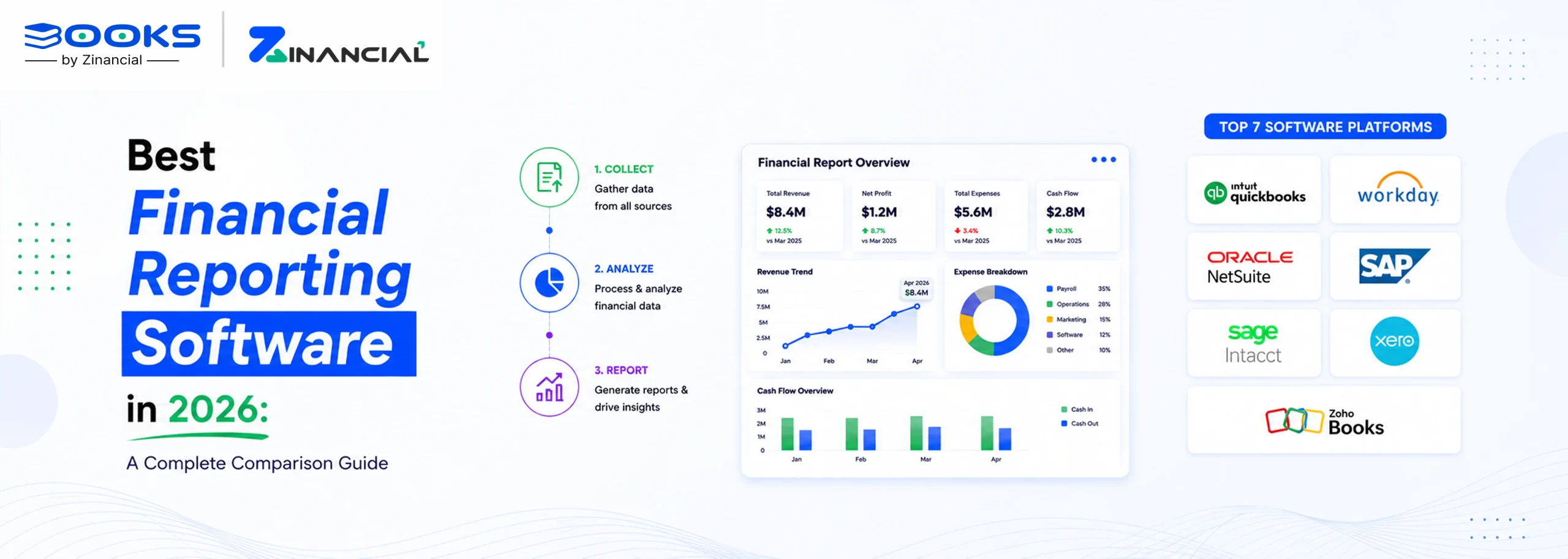
Best Financial Reporting Software for 2027: 10 Tools Compared (With Pricing)
12 Aug, 2026Books

Best Financial Reporting Software for 2027: 10 Tools Compared (With Pricing)

If you have ever stayed late closing the books, you know the drill. You pull numbers from five different tabs and cross-check formulas that break the moment someone edits a cell. You send the report to your boss, then find an error an hour later. Financial reporting software exists to end that cycle. The right […]

Read More...
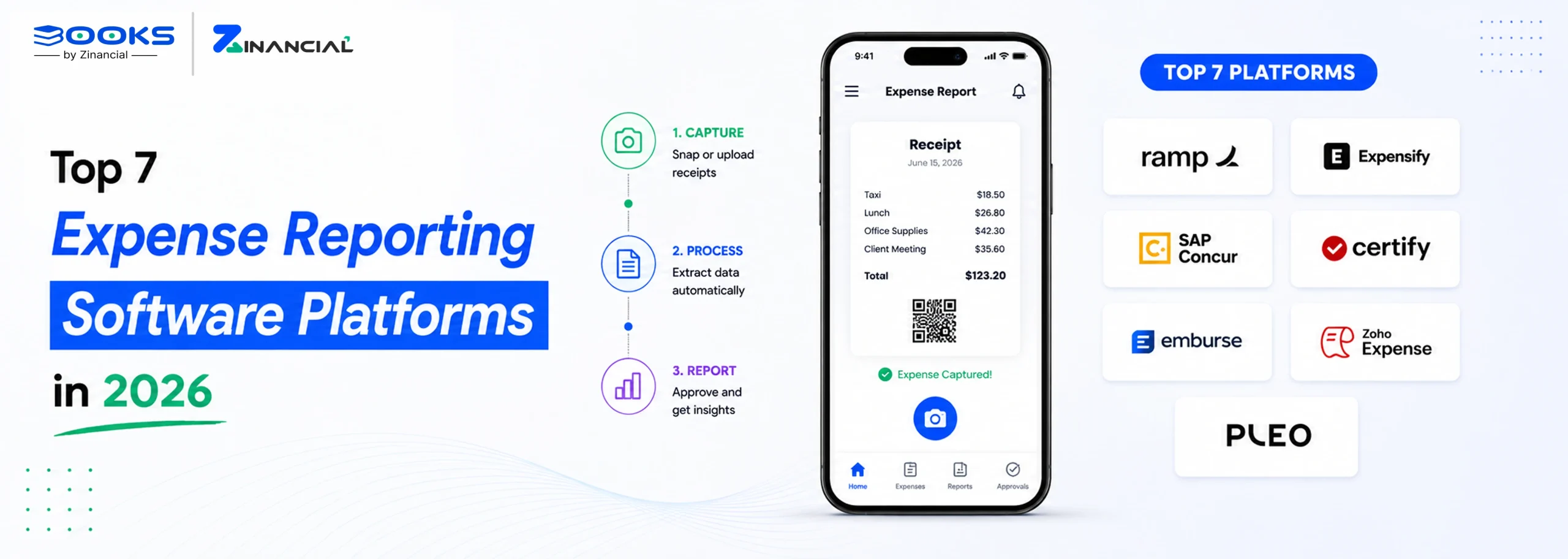
Top 7 Expense Reporting Software Platforms in 2026
7 Aug, 2026Books

Top 7 Expense Reporting Software Platforms in 2026

You have paid for lunch with a client, uploaded the receipt, and submitted your expense report. Days later, it is still awaiting approval, reimbursement is delayed, and finance is following up on missing details. Expense reporting software is designed to eliminate those bottlenecks. It automates receipt capture, approvals, and expense tracking, helping businesses save time […]

Read More...
Engineered by the Best in the Business - Zinancial call to action banner

Engineered by the Best in the Business

Zinancial is built by professionals who understand accounting challenges, modern software, and especially what growing businesses need.